Blog

  • Best Practices for Fashion Email Video Thumbnails

    Best Practices for Fashion Email Video Thumbnails

    email video thumbnail is the single frame that determines whether a subscriber clicks through or scrolls past. Static product photography still dominates most fashion emails, but brands embedding video — or simulating it with a compelling thumbnail linked to a hosted video — consistently report higher click-through rates and stronger downstream conversion. Getting that thumbnail right is not a creative afterthought; it is a strategic decision that touches image composition, technical execution, and deliverability mechanics all at once. This guide covers every layer of that decision.

    Key Takeaways

    • Most email clients do not autoplay video, so a well-designed static or animated thumbnail is the primary creative asset in any video in email fashion campaign.
    • The play button placement, first-frame composition, and contrast levels of your thumbnail directly influence click-through rate.
    • Optimal thumbnail dimensions, file weight, and alt text are as important as visual design for deliverability and accessibility.
    • A/B testing thumbnail style against open-to-click rate is the fastest way to improve fashion email marketing performance over time.
    • Short-form AI-generated fashion videos are efficient thumbnail source material because they are already framed for vertical formats.

    Why Thumbnails Matter More Than the Video Itself

    Embedded video in email has an inherent limitation: the majority of email clients, including Outlook across its desktop versions and a significant share of enterprise environments, either block video entirely or strip autoplay functionality. What subscribers actually see is a static image or, in best-case scenarios, a looping GIF fallback. The email video thumbnail is therefore not a preview of the video — it is the primary creative unit driving clicks.

    This distinction shapes every decision that follows. The thumbnail must function as a standalone advertisement. It should communicate the outfit, the brand mood, and the action you want the subscriber to take, without relying on the video itself to do any of that work. When a reader sees the thumbnail, they need enough visual information to decide the video is worth their time.

    Fashion brands that treat the thumbnail as a low-effort screenshot from their video consistently underperform against brands that compose and optimise a dedicated thumbnail frame. The gap in click-through rate between a thoughtful thumbnail and a careless one can exceed 30 percent in high-volume send tests.
    a red and white play button on a white card
    Photo by Kelly Sikkema on Unsplash

    Composition Principles for Fashion Video Thumbnails

    The composition rules that apply to fashion email marketing thumbnails differ from social media thumbnails in one important way: email is a low-attention environment with no algorithm to reward watch time. The click is the only metric that matters at this stage.

    • Lead with the outfit, not the setting. Background lifestyle elements read as noise in a small thumbnail. Keep the garment or look prominent in the frame.
    • Use the first third of the frame for the most important visual information. Many email clients crop previews or display images at reduced dimensions in preview panes.
    • Apply a visible play button overlay. Subscribers have been conditioned to associate play button icons with video content. A centred or lower-third play button increases click intent even when the image itself is static.
    • Contrast matters more than colour palette. Brand-consistent colours are important, but if your thumbnail lacks sufficient contrast between the subject and background, it will disappear on mobile screens at default brightness settings.
    • Include a model or a styled flat lay, not a product ghost image. Thumbnails featuring a person wearing the outfit consistently outperform product-only compositions in fashion email contexts.

    If you are sourcing thumbnail frames from short-form videos built for TikTok or Reels, be aware that vertical framing does not always translate cleanly to email-width horizontal or square crops. Outfit Video generates AI fashion videos in multiple aspect ratios, which makes it easier to pull a clean thumbnail crop without losing the subject to letterboxing or awkward reframing.

    Technical Specifications for Email Video Thumbnails

    Regardless of how strong your visual composition is, the wrong technical choices will undo it. Video in email fashion campaigns fail at the thumbnail level more often because of file weight and format decisions than because of poor design.

    1. File format: JPEG for static thumbnails where file size is the primary concern. PNG where transparency or fine text overlay requires it. Animated GIF for simulated motion, capped at a short loop to manage file weight.
    2. File size: Keep static thumbnails below 200KB. Animated GIFs used as fallback should stay under 1MB; anything heavier risks triggering spam filters or causing render delays on mobile connections.
    3. Dimensions: A 600px-wide static thumbnail suits most desktop email layouts. For mobile-first sends, 480px width with a 1:1 or 4:5 ratio works well. Retina display compatibility means your source image should be at least 1200px wide before compression.
    4. Alt text: Every thumbnail image must carry descriptive alt text. A significant minority of subscribers read email with images turned off by default. Alt text like “Watch: Spring linen outfit three ways” functions as a second headline and maintains accessibility compliance.
    5. Linking: The thumbnail image should link directly to the hosted video, not to a landing page that contains the video buried below the fold. Friction between click and video view destroys conversion momentum.
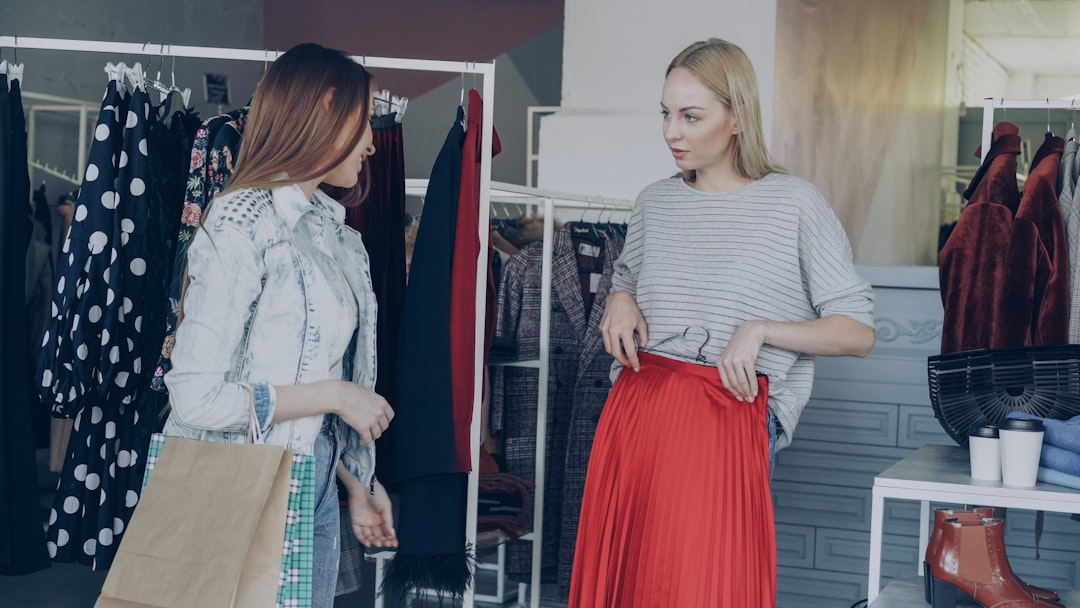
    Two women try on clothes in a boutique.
    Photo by Vitaly Gariev on Unsplash

    Animated GIF Thumbnails: When to Use Them

    An animated GIF thumbnail is the most practical way to suggest motion in an email without requiring native video support. The first frame of the GIF must be the strongest frame in the sequence, because Outlook renders only the first frame as a static image. Every other client will play the loop.

    For fashion email marketing, effective GIF thumbnail strategies include:

    • A two-to-three frame loop showing an outfit transition, such as a jacket on and off, or a before-and-after styling difference. This approach works particularly well when the underlying video content covers outfit transformations — a format explored in depth in the guide on before-and-after outfit transformations.
    • A single slow zoom or pan that draws the eye without distracting from the play button overlay.
    • A colour or texture loop that communicates the fabric quality of a featured product.

    Avoid GIF thumbnails with more than eight to ten frames, rapid cuts, or flashing transitions. These create accessibility problems and inflate file size without improving click-through rate.

    A/B Testing Thumbnail Variables That Move the Needle

    Systematic testing is how fashion brands turn thumbnail intuition into repeatable strategy. The key is isolating one variable per test so that results are attributable.

    Variables worth testing in sequence:

    • Play button style: Circle versus rectangle, filled versus outline, centred versus lower-left. Play button design has a measurable effect on perceived clickability.
    • Subject framing: Full-body shot versus cropped bust versus product close-up. The answer varies by category; denim campaigns often perform better with full-body, while accessory campaigns favour tight product crops.
    • Static versus animated GIF: GIFs typically outperform static images on mobile-heavy lists, but the file-weight cost can suppress delivery rates if not carefully managed.
    • Text overlay presence: Some audiences respond to a short text line like “Watch the full look” overlaid on the thumbnail. Others click at higher rates without any text interrupting the image.
    • Seasonal context: Thumbnails that reflect the current season in background elements or styling tend to outperform evergreen compositions. Aligning thumbnail creative with a broader seasonal fashion video strategy creates visual consistency across channels and improves brand recognition.

    Track results against open-to-click rate rather than raw open rate. Open rate inflation from Apple Mail Privacy Protection makes it an unreliable optimisation metric for thumbnail testing.

    Connecting Thumbnail Strategy to Video Performance KPIs

    The thumbnail is the entry point to a measurement chain that extends from the email send all the way to purchase. Treating it as an isolated creative asset misses the analytical opportunity it represents.

    When a subscriber clicks a thumbnail, you can track: click-through rate from the email, video completion rate on the landing page, add-to-cart rate from the video-adjacent product links, and final purchase attribution. Each of these metrics gives you information about a different stage of the funnel. A high click-through rate on the thumbnail combined with a low video completion rate signals that the video content is not delivering on the promise the thumbnail made. A low click-through rate despite a strong open rate points back to thumbnail design itself.

    Understanding which metrics to weight at each stage of this chain is covered in detail in the post on fashion video marketing KPIs you should actually track. Applying that measurement framework to your email thumbnail programme gives you a complete picture of where value is being created or lost.

    FAQ

    Can I embed an actual video file directly in a fashion marketing email?

    True video embedding using an HTML5 video tag is supported in Apple Mail, iOS Mail, and a small number of other clients. However, because Outlook and many Android clients do not support it, best practice is to use an email video thumbnail linked to a hosted video page, with an animated GIF as a fallback for clients that block the video tag. This approach ensures every subscriber sees a functional, clickable creative unit.

    What image dimensions work best for a fashion email thumbnail?

    For a standard 600px-wide email layout, a thumbnail width of 600px at 72dpi is the baseline. Use a 1200px source image before compression to serve retina displays cleanly. Aspect ratios of 16:9, 4:3, or 1:1 all work depending on your email template design, but 16:9 is the most common for video thumbnails because it signals video format to the reader.

    How do I choose the best frame from a fashion video for the thumbnail?

    The best thumbnail frame is the one that creates the most curiosity while clearly showing the outfit or look. Avoid transition frames where the subject is mid-movement and appears blurred. Look for a frame in the first few seconds of the video where the styling is fully visible, the lighting is at its best, and the model’s expression is engaged. If your video was created with an AI tool that generates clean, well-lit frames throughout, you will have more options to choose from.

    Does adding a play button overlay to a thumbnail actually increase clicks?

    Yes, consistently across tested fashion email campaigns. The play button functions as a visual cue that tells the subscriber there is video content waiting for them. Without it, even a beautifully composed thumbnail reads as a standard product image. The play button creates the expectation of a richer experience and increases motivation to click. Transparent overlays at 60 to 80 percent opacity tend to perform better than fully opaque buttons that obscure the underlying image.

    How often should I refresh email video thumbnails in ongoing campaigns?

    For triggered or automated email flows such as welcome sequences or post-purchase follow-ups, refresh thumbnails at a minimum each season to maintain visual relevance. For promotional broadcast emails, each campaign should use a thumbnail matched to that specific video. Reusing the same thumbnail across multiple sends trains subscribers to skip it, because they have already processed that image and formed a click-or-ignore decision.

    Ready to turn your outfit photos into scroll-stopping videos? Try Outfit Video free and create your first AI fashion video in minutes.

    Want to create polished fashion videos without a studio or editing skills? Try Outfit Video free and turn your outfit photos into scroll-stopping clips in minutes.

  • How to Create Before-and-After Outfit Transformations

    How to Create Before-and-After Outfit Transformations

    outfit transformation video is not just a trend — it is a proven content structure that drives saves, shares, and conversions across TikTok, Reels, and Shorts. This guide covers exactly how to plan, shoot, and publish before after fashion content that performs.

    Key Takeaways

    • The before-and-after format works because it creates narrative tension and a satisfying visual payoff that holds viewer attention.
    • A strong clothing makeover video requires deliberate contrast between the “before” and “after” — lighting, posture, and styling all matter.
    • Planning your transformation arc before filming saves time and produces more coherent, shareable content.
    • AI tools like Outfit Video allow brands to generate polished transformation videos from outfit photos without a full production setup.
    • Captioning, pacing, and the reveal moment are the three variables that most directly affect watch-through rate on transformation content.

    Why Outfit Transformation Videos Outperform Standard Lookbooks

    Static lookbook images show a finished result. A transformation video shows a journey. That distinction matters enormously on algorithm-driven platforms where watch time determines reach. When a viewer sees a dull or unflattering “before,” they stay to watch the resolution. That psychological pull — rooted in the same mechanics as a story arc — keeps completion rates high and signals to platform algorithms that the content is worth distributing.

    The data supports this consistently. Transformation content across TikTok and Reels regularly outperforms straight outfit showcase videos in saves and shares, because it gives viewers something to react to and pass on. A person who watches an outfit reveal feels something; a person who sees a polished static lookbook often does not. Emotional response drives social sharing, and social sharing drives organic reach.

    For brands, the additional benefit is demonstrative value. A clothing makeover video does not just show a product — it shows what the product does. It answers the implicit customer question: “What will I look like after I buy this?” That is a fundamentally more persuasive content format than product photography alone, as explored in Product Video vs Static Images: Which Drives More Sales?.

    a woman standing in front of a brick wall
    Photo by Ty Dennis on Unsplash

    Planning Your Transformation Arc Before You Film

    Every effective outfit transformation video is built around a clear before-and-after contrast. Before you pick up a camera or upload a single photo, define what the transformation actually is. Common transformation arcs include:

    • Occasion shift: Casual daywear styled into an evening look using the same base pieces
    • Capsule upgrade: Basic wardrobe staples transformed with statement accessories or outerwear
    • Body confidence arc: Showing how specific cuts or silhouettes change the overall impression of an outfit
    • Season transition: A summer piece layered and restyled for autumn or winter wear
    • Budget vs elevated: An affordable outfit versus the same aesthetic achieved with premium pieces

    The clearer your transformation arc, the easier it is to shoot with intention. Know what you are contrasting before you start, because vague transformations produce vague content. Once you have your arc, write a brief shot list that covers both the before state and the after reveal, including any styling details or accessory close-ups you want to capture.

    If you are planning content across multiple weeks or seasons, it is worth building transformation videos into a broader editorial structure. A Seasonal Fashion Video Strategy helps you identify the natural transformation moments built into the fashion calendar — back to school, holiday dressing, transitional weather — which are the highest-intent moments for this type of content.

    Filming the Before and After: What to Get Right

    The effectiveness of a before after fashion video depends entirely on the visual contrast between your two states. If the before and after look too similar, the reveal falls flat. If the before is so unflattering that it feels staged, it loses credibility. The goal is honest contrast — a genuine shift in how an outfit reads on camera.

    Specific elements to control during filming:

    • Consistent framing: Shoot both the before and after from the same angle and distance. Consistency makes the contrast more dramatic because everything except the outfit remains the same.
    • Lighting: Keep the lighting identical across both states. If the before is lit differently to the after, viewers will attribute the transformation to lighting rather than clothing.
    • Posture and expression: The “before” often benefits from a more neutral or slumped posture; the “after” should show confidence. This is not dishonest — it reflects how wearing an outfit that works actually feels.
    • Background: A plain or consistent background keeps attention on the clothing rather than the environment.

    If you are working from photos rather than live video — which is increasingly common for brands using AI tools — ensure your before and after images share similar composition so the generated video reads as a coherent sequence rather than two unrelated shots.

    A seamstress smiles in her workshop.
    Photo by Vitaly Gariev on Unsplash

    Structuring Your Video for Maximum Retention

    The structure of a clothing makeover video is as important as the content itself. A strong transformation video follows a simple three-part rhythm: hook, build, reveal.

    1. Hook (0–2 seconds): Open on the before state immediately. Do not waste the first two seconds on a logo or introduction. Show the problem or starting point so viewers have a reason to stay.
    2. Build (2–8 seconds): Brief styling detail shots, a voiceover or text overlay explaining what is changing, or a quick transition sequence. This is where you create anticipation.
    3. Reveal (8–15 seconds): The after look, shown confidently and held long enough for the viewer to absorb it. This is also where you place any call to action — a link, a product tag, or a prompt to save the video.

    Captions play a significant role in retaining viewers who watch without sound, which accounts for a large proportion of mobile viewing. Overlaid text that mirrors the transformation arc — “before the styling session” into “after 10 minutes with these three pieces” — reinforces the narrative for silent viewers. For a full breakdown of captioning best practices, see Fashion Video Captions and Subtitles: Best Practices.

    Using AI to Produce Transformation Content at Scale

    One of the practical barriers to producing regular outfit transformation video content is production time. Filming, editing, and exporting even a short transformation clip can take hours — time that smaller brands and independent creators rarely have to spare.

    AI video tools have changed this equation significantly. With a platform like Outfit Video, you can upload before and after outfit photos and generate a formatted, platform-ready transformation video without editing software or a production team. The tool handles sequencing, transitions, and formatting for vertical video specifications across TikTok, Reels, Shorts, and Pinterest.

    This approach is particularly valuable for e-commerce brands that hold large catalogues of product photography. Existing imagery can be repurposed into transformation content systematically — building a library of before after fashion videos without a single additional shoot. For brands looking to scale content production without scaling costs, this represents a meaningful operational advantage, as outlined in How Small Fashion Brands Are Using AI Video to Compete.

    Publishing and Optimising Across Platforms

    Transformation videos perform across every major short-form platform, but the optimal approach differs slightly between them. On TikTok, trending audio paired with a sharp visual cut at the reveal moment significantly boosts organic reach. On Instagram Reels, the save rate is a stronger signal than likes, so content that viewers want to reference later — practical styling transformations rather than aspirational ones — tends to perform better algorithmically.

    Pinterest favours transformation content that maps to a search intent, so titles and descriptions should lead with the transformation type (“How to style one blazer three ways”) rather than vague labels. YouTube Shorts rewards watch-through rate, meaning the reveal should arrive before the fifteen-second mark in almost all cases.

    Regardless of platform, consistency matters more than volume. A single well-constructed clothing makeover video published weekly will outperform daily mediocre content over any meaningful time horizon. Use your transformation format as a recurring series — same structure, different outfits — so viewers know what to expect and return for each instalment.

    FAQ

    What makes a before-and-after outfit video different from a standard outfit video?

    A standard outfit video presents a finished look. A before-and-after outfit transformation video shows the contrast between a starting state and a styled result, which creates narrative tension and a reveal moment that drives higher watch-through rates and shares.

    How long should a clothing makeover video be?

    For TikTok, Reels, and Shorts, the optimal length for a clothing makeover video is between 15 and 30 seconds. The reveal should land before the 15-second mark to retain viewers who drop off quickly. Longer format transformations work on YouTube Shorts if there is sufficient build-up to justify the length.

    Can I create transformation videos without filming new footage?

    Yes. AI tools like Outfit Video allow you to upload existing outfit photos and generate a formatted transformation video from static imagery. This is particularly useful for e-commerce brands with large product catalogues who want to produce before after fashion content without additional shoots.

    What is the best platform for outfit transformation videos in 2026?

    TikTok and Instagram Reels currently offer the highest organic reach potential for outfit transformation videos. Pinterest is highly effective for transformation content with strong search intent, such as seasonal restyling or budget-to-elevated comparisons. The right platform depends on where your target audience is most active.

    How do I make the reveal moment feel more impactful?

    The impact of the reveal depends on three factors: the degree of visual contrast between the before and after, the timing of the cut or transition, and audio synchronisation. Cutting to the reveal on a beat drop or audio cue, holding the after state for at least three to four seconds, and ensuring strong lighting all amplify the payoff for viewers.

    Ready to turn your outfit photos into scroll-stopping videos? Try Outfit Video free and create your first AI fashion video in minutes.

    Want to create polished fashion videos without a studio or editing skills? Try Outfit Video free and turn your outfit photos into scroll-stopping clips in minutes.
  • YouTube Shorts for Fashion: Growth Strategy 2026

    YouTube Shorts for Fashion: Growth Strategy 2026

    Key Takeaways

    • YouTube Shorts is now a primary discovery engine for fashion, not a secondary platform, and brands that treat it as such are seeing compounding growth into 2026.
    • Consistency and posting cadence matter more on Shorts than production quality alone.
    • Repurposing existing outfit content into Shorts is the most efficient way to scale volume without increasing budget.
    • Shorts with strong captions and on-screen text consistently outperform those that rely on audio alone.
    • Linking Shorts content to longer YouTube videos and product pages creates a full-funnel strategy that most fashion brands are still ignoring.

    YouTube crossed 2.7 billion monthly active users heading into 2026, and the Shorts feed is now one of its fastest-growing surfaces. For fashion brands and creators, that reach represents something TikTok and Instagram cannot guarantee: stability, searchability, and a direct pipeline into the world’s largest video library. Yet most fashion accounts on YouTube treat Shorts as an afterthought, posting sporadically and without strategy. That gap is exactly where growth lives. A focused YouTube Shorts fashion strategy in 2026 is one of the highest-leverage moves a brand or creator can make, and this post shows you how to build one.

    Why YouTube Shorts Matters for Fashion in 2026

    The short-form video landscape is more fragmented than ever, but YouTube Shorts holds a distinct position in it. Unlike TikTok, YouTube content is indexed by Google. A Short about styling wide-leg trousers can surface in both the Shorts feed and Google search results, giving it a dual discovery advantage that no other platform offers.

    YouTube also has an older, higher-income demographic than TikTok, which is significant for fashion brands selling above the fast-fashion price point. The platform’s recommendation algorithm favours accounts with a full content ecosystem — meaning Shorts that link to longer lookbooks, tutorials, or haul videos benefit from the halo effect of your broader channel health.

    For fashion YouTube Shorts, the competitive field is still relatively uncrowded compared to Reels or TikTok. Brands willing to post consistently and with intent right now will build algorithmic authority before the space saturates.

    woman in red and white floral shirt and blue denim shorts standing on sidewalk during daytime
    Photo by Chase McBride on Unsplash

    Building Your Content Pillars for Shorts

    The brands growing fastest on Shorts are not posting randomly. They operate within two to four defined content pillars that their audience learns to expect. For fashion, strong pillar categories include:

    • Outfit reveals and styling transitions — the classic format that performs well across every short-form platform
    • Get-ready-with-me clips — personal, relatable, and highly rewatchable
    • Trend commentary — fast takes on what is in season, what to avoid, and what to invest in
    • Behind-the-brand content — packing orders, buying trips, flat-lay process shots
    • Product spotlights — single-item features with styling context

    Committing to pillars solves the consistency problem. Instead of asking what to post, you rotate through your categories. A four-day weekly cadence might look like: Monday styling transition, Wednesday trend take, Friday product spotlight, Sunday GRWM. That structure alone puts you ahead of most fashion accounts on the platform.

    If you are planning content at scale, aligning your Shorts calendar with seasonal moments is worth the upfront effort. The guide on seasonal fashion video strategy covers how to plan by quarter so your content stays relevant without last-minute scrambles.

    Production and Format Best Practices

    YouTube Shorts must be vertical, 9:16, and under 60 seconds. The algorithm currently favours videos between 15 and 45 seconds for completion rate, which is the most heavily weighted engagement signal. Shooting at 1080×1920 is the baseline; 4K vertical is increasingly common among leading fashion accounts and gives you editing flexibility.

    The first two seconds determine whether a viewer stays or swipes. Open with the most visually compelling frame — the final outfit, the most striking colour, the most unexpected styling choice. Do not open with a logo card, a title card, or a slow pan. Those habits belong to long-form video and will kill your retention on Shorts.

    On-screen text is non-negotiable. A large portion of Shorts are watched without sound in public spaces, and fashion content lives or dies by its visual communication. Adding captions or styling callouts directly in the video is a straightforward way to hold attention and communicate product details. For detailed guidance on this, the post on fashion video captions and subtitles covers best practices in depth.

    a woman standing in front of a rack of clothes
    Photo by Romario Roges on Unsplash

    Scaling Volume With AI Video Tools

    One of the most common blockers fashion brands face with Shorts is volume. Posting four to five times per week requires a production system that most small teams do not have. This is where AI video tools have changed the equation entirely.

    Outfit Video transforms static outfit photos into short-form fashion videos ready for Shorts, Reels, and TikTok. A product photo or styled flat lay becomes a motion video in minutes, without cameras, editors, or production schedules. For brands that shoot product photography anyway, this approach essentially converts existing assets into Shorts content at near-zero marginal cost.

    The practical implication: a brand with a catalogue of 50 products can generate 50 Shorts without a single video shoot. Pairing that with a consistent posting schedule and strong captions creates a repeatable system rather than a one-off campaign.

    For brands running haul-style content or new-arrival roundups, the framework in this post on fashion haul video strategy for small brands translates directly to the Shorts format.

    The Shorts-to-Long-Form Funnel

    Most fashion creators treat Shorts as standalone content. The brands building durable YouTube growth understand that Shorts are the top of a funnel, not the end of it.

    The strategy works like this: a Short introduces a concept, an outfit, or a product. It drives curiosity. The description or a pinned comment then directs viewers to a full-length video — a complete lookbook, a detailed try-on haul, a styling tutorial — on the same channel. That longer video earns watch time, builds channel authority, and creates the conditions for the algorithm to recommend both pieces of content more broadly.

    This funnel also works in the other direction. Long-form videos can be clipped into Shorts, giving you content from a single production session. A 15-minute lookbook video contains six to eight natural Shorts if you edit with that in mind.

    The key metrics to track across this funnel are Shorts click-through rate to long-form, subscriber conversion rate from Shorts viewers, and average view duration on both formats. Understanding which Shorts drive the most channel growth tells you exactly what content to make more of.

    Growth Tactics Specific to 2026

    The YouTube Shorts algorithm in 2026 rewards a set of behaviours that are worth building into your workflow deliberately:

    1. Reply to comments with a Short — YouTube allows creators to respond to comments by filming a Short. This creates a comment-to-content loop that boosts engagement signals on the original video and the reply simultaneously.
    2. Use YouTube’s native text and audio tools — Shorts that use platform-native features tend to get preferential distribution. This includes adding music from YouTube’s library rather than importing audio.
    3. Post at consistent times — The algorithm uses early engagement velocity to determine distribution. Posting when your existing subscribers are active improves that initial signal.
    4. Link to products in descriptions — YouTube now supports affiliate links and product tags in Shorts descriptions. Fashion brands with shoppable content should be using this feature on every applicable post.
    5. Engage with Shorts from accounts in your niche — The recommendation algorithm is partially social graph-based. Consistent engagement with related accounts signals topic relevance and can improve co-recommendation.

    Growth on YouTube Shorts is slower to start than on TikTok but compounds more reliably. Accounts that maintain a consistent cadence for 90 days typically see a nonlinear jump in reach as the algorithm establishes their topic authority. Patience combined with system is the defining characteristic of the brands winning on this platform in 2026.

    FAQ

    How often should fashion brands post YouTube Shorts?

    Four to five times per week is the target cadence for accounts in active growth mode. If that volume is not sustainable with your current production capacity, three times per week with consistent scheduling will still build algorithmic momentum. Using AI video tools to convert product photography into Shorts is the most practical way to reach higher posting frequencies without increasing production costs.

    Do YouTube Shorts help grow a full YouTube channel?

    Yes, but the relationship requires deliberate management. Shorts attract a different viewer than long-form content, and not all Shorts viewers will automatically subscribe or migrate to longer videos. The most effective approach is to use Shorts as a discovery layer and direct engaged viewers toward longer content through descriptions, comments, and clear verbal calls to action within the Short itself.

    What length performs best for fashion YouTube Shorts?

    Videos between 15 and 45 seconds currently achieve the strongest completion rates, which is the primary ranking signal for Shorts. Outfit reveals and product spotlights work well at 15 to 20 seconds. More narrative content like GRWM clips or trend commentary can stretch to 45 to 55 seconds without losing retention if the opening hook is strong.

    Can you repurpose TikTok or Reels content as YouTube Shorts?

    Technically yes, but YouTube’s algorithm detects and deprioritises content that contains visible TikTok watermarks. If you are repurposing across platforms, export from your original source file or editing software rather than downloading from TikTok or Instagram. The content itself can be identical; it is the watermark that creates the distribution penalty.

    How do you measure the success of a YouTube Shorts fashion strategy?

    The core metrics are view count, average percentage viewed, subscriber conversion rate from Shorts, and click-through on any links in descriptions. For brands running product-linked Shorts, tracking referral traffic from YouTube to product pages and the resulting conversion rate gives you a direct revenue attribution line. Shorts that consistently drive subscribers and clicks are the ones to analyse and replicate.

    Ready to turn your outfit photos into scroll-stopping videos? Try Outfit Video free and create your first AI fashion video in minutes.

    Want to create polished fashion videos without a studio or editing skills? Try Outfit Video free and turn your outfit photos into scroll-stopping clips in minutes.
  • Seasonal Fashion Video Strategy: Planning by Quarter

    Seasonal Fashion Video Strategy: Planning by Quarter

    Most fashion brands post reactively — scrambling to create content when a season arrives rather than building momentum weeks before shoppers are ready to buy. A structured fashion video calendar quarterly approach changes that entirely.

    Key Takeaways

    • Planning seasonal fashion content by quarter lets you front-load production and publish consistently without last-minute pressure.
    • Each quarter has distinct shopping triggers, search spikes, and platform behaviours that should shape your video formats and topics.
    • A seasonal outfit video strategy works best when it aligns product drops, trend cycles, and platform algorithm windows simultaneously.
    • AI video tools allow smaller teams to produce enough content volume to sustain a full quarterly calendar without increasing headcount.

    Why Quarterly Planning Outperforms Monthly Scheduling

    Monthly content calendars create a perpetual planning tax — every few weeks, your team restarts the brainstorming process from scratch. Quarterly planning eliminates that cycle. When you map your seasonal fashion content across three-month blocks, you can batch production, align inventory with publish dates, and build content arcs that build on each other rather than existing in isolation.

    The commercial case is straightforward. Shoppers begin researching seasonal purchases significantly earlier than brands typically start publishing. Spring outfit searches spike in late January. Holiday gift searches accelerate from early October. A quarterly strategy positions your video content ahead of demand curves rather than chasing them.

    There is also an algorithmic argument. TikTok, Instagram Reels, and YouTube Shorts all reward accounts that post with sustained frequency over time. Inconsistent bursts of content — common with reactive monthly planning — underperform compared to accounts that maintain steady cadence across a quarter.

    black and green floral sleeveless top
    Photo by Athirah Sarizal on Unsplash

    Q1 (January–March): New Year Transition and Spring Preview

    Q1 is a misunderstood quarter for fashion video. January feels like a slow month commercially, but it is one of the highest-intent research periods of the year. Shoppers who received gift cards over the holidays are actively browsing. New Year resolution content around wardrobe organisation and personal style performs well in the first two weeks.

    By mid-January, shift your focus toward spring preview content. This does not mean publishing summer looks — it means introducing transitional pieces, emerging colour palettes, and styling frameworks that prime your audience for spring purchases before they consciously know they are ready.

    Key video formats for Q1:

    1. New Year wardrobe reset videos featuring bestsellers from your existing catalogue
    2. Trend forecast videos establishing your brand as a style authority ahead of the season
    3. Valentine’s Day outfit guides (publish by late January for full search window benefit)
    4. Spring preview lookbooks showing transitional layering

    Production note: Q1 is the ideal time to batch-produce your spring content using AI video tools. Shooting or generating multiple spring looks in January means you have a library ready to release on a controlled schedule through February and March rather than rushing production as the season opens.

    Q2 (April–June): Peak Spring and Early Summer Momentum

    Q2 carries some of the highest commercial intent of the year. Spring collections are live, summer inventory is arriving, and shoppers are actively converting rather than just browsing. Your seasonal outfit video content in this quarter needs to be closer to the point of purchase — more product-specific, more styling detail, more direct calls to action.

    April and May are prime windows for occasion dressing content: wedding guest outfits, graduation looks, and festival styling all generate significant search volume. June should pivot toward summer travel content and early holiday wardrobe building for markets in the Northern Hemisphere.

    Key video formats for Q2:

    1. Occasion outfit guides (weddings, graduations, garden parties)
    2. Capsule wardrobe videos built around two or three anchor pieces from your spring drop
    3. Festival and outdoor event styling content
    4. Early summer travel packing outfit videos

    If you are running a small team and need to maximise output during this high-stakes quarter, the fashion haul video strategy for small brands is worth reviewing — it covers how to get more video value from limited product shoots.

    a woman wearing a hat and listening to music
    Photo by Julia Kutsenko on Unsplash

    Q3 (July–September): Summer Sell-Through and Autumn Anticipation

    Q3 contains a natural midpoint shift that many brands miss. July and early August are about maximising summer sell-through — sale content, outfit remix videos that extend the life of spring pieces, and holiday destination styling. From late August onward, your audience’s attention begins moving toward autumn.

    The critical mistake in Q3 is clinging too long to summer content while your audience has already shifted mentally to the next season. Monitor your platform analytics closely. When engagement on summer content starts dropping — typically around the third week of August — begin introducing transitional and autumn-forward content immediately.

    Key video formats for Q3:

    1. Summer sale styling guides showing how to style discounted pieces
    2. Holiday and vacation outfit content (high engagement in July)
    3. Transitional dressing videos using summer pieces into early autumn
    4. Autumn preview content from late August — new palette introductions, texture stories, layering basics

    Q3 is also a strong quarter for platform experimentation. If you have been considering expanding to a new platform, the summer period typically has lower competition for attention, making it a lower-risk testing window. For a current assessment of newer platform opportunities, the Snapchat Spotlight for fashion analysis covers whether that channel warrants investment in your quarterly mix.

    Q4 (October–December): Peak Commercial Season and Year-End Content

    Q4 is the highest-revenue quarter for most fashion brands and the one where video content quality and timing have the most direct impact on sales. October introduces autumn and early winter styling. November is dominated by Black Friday and gifting content. December splits between last-minute gift guides and New Year party dressing.

    The single most important strategic move for Q4 is early production. All Black Friday campaign videos should be complete by early October at the latest. Gifting guide videos should be ready to publish from the first week of November. Brands that produce this content in late November — when it should already be live — lose the search and algorithm runway that makes it effective.

    Key video formats for Q4:

    1. Autumn and winter lookbooks featuring hero products from your new season range
    2. Gift guide videos organised by price point or recipient type
    3. Black Friday preview content building urgency ahead of the sale
    4. Holiday party outfit guides and New Year dressing content
    5. Year-in-review and best-of content for the final week of December

    Given the volume of content Q4 demands, this is the quarter where AI-powered production tools deliver the most tangible return. Outfit Video allows brands to convert outfit photos into short-form videos at scale — making it practical to produce the volume Q4 requires without proportionally increasing production cost. For tracking whether that output is actually performing, the fashion video marketing KPIs you should actually track provides a measurement framework to apply across the quarter.

    Building Your Quarterly Video Calendar in Practice

    A quarterly calendar only works if it translates into a concrete production and publishing schedule. The following framework applies to any quarter:

    1. Week 1–2 of the preceding quarter: Define your content themes, map them to product drops and commercial priorities, and identify which video formats serve each theme.
    2. Week 3–4 of the preceding quarter: Produce or batch-generate your hero content for the opening month of the coming quarter.
    3. Month 1 of the active quarter: Publish at consistent frequency, monitor early performance data, and begin production on month 2 content.
    4. Month 2: Publish month 2 content, identify highest-performing formats to double down on, and produce month 3 content.
    5. Month 3: Publish remaining content, conduct a full quarter performance review, and carry learnings into next quarter planning.

    This rolling production model means you are never more than one month behind on content — and you always have a buffer against unexpected delays.

    Frequently Asked Questions

    How far in advance should fashion brands plan seasonal video content?

    A minimum of six to eight weeks before a season opens is the practical floor. For major commercial moments like Black Friday or holiday gifting, ten to twelve weeks of lead time gives your content enough runway to index in search, build algorithm momentum, and reach your audience before competitors saturate the space.

    How many videos should a fashion brand publish per quarter?

    The right number depends on your team size and production capacity, but as a general benchmark, publishing three to five short-form videos per week across your primary platforms sustains consistent algorithmic performance. Across a thirteen-week quarter, that equates to roughly forty to sixty pieces of video content — a volume that becomes achievable when you batch-produce using AI tools rather than shooting each video individually.

    Should seasonal content strategies differ between TikTok and Instagram Reels?

    The seasonal themes remain consistent, but the format and pacing differ. TikTok rewards trend-responsive content with faster cuts and higher posting frequency. Instagram Reels performs well with slightly more polished, aesthetic-led seasonal content and benefits from longer shelf life on saves and shares. Plan your quarterly calendar around unified themes, then adapt the execution for each platform rather than running entirely separate strategies.

    What is the biggest mistake brands make with seasonal fashion video planning?

    Publishing seasonal content too late. Most brands begin creating summer content when summer arrives — by which point the peak search and discovery window is already closing. The brands that consistently outperform their competitors treat seasonal content as a pre-season exercise, not an in-season reaction.

    Can AI video tools realistically produce enough content to sustain a quarterly calendar?

    Yes, and this is one of the strongest practical arguments for adopting AI video generation. Tools that convert outfit photos into short-form videos allow small teams to produce the volume a quarterly calendar demands without increasing shoot budgets proportionally. The constraint shifts from production capacity to strategic planning — which is a more valuable use of a team’s time.

    Ready to turn your outfit photos into scroll-stopping videos? Try Outfit Video free and create your first AI fashion video in minutes.

    Want to create polished fashion videos without a studio or editing skills? Try Outfit Video free and turn your outfit photos into scroll-stopping clips in minutes.
  • Fashion Video Captions and Subtitles: Best Practices

    Fashion Video Captions and Subtitles: Best Practices

    Key Takeaways

    • Over 85% of social media videos are watched without sound, making captions essential for retaining fashion video viewers across every platform.
    • Accessible fashion content reaches a broader audience including Deaf and hard-of-hearing viewers, non-native speakers, and anyone scrolling in a noise-sensitive environment.
    • Caption style, placement, and timing directly affect watch time, engagement rate, and conversion — not just accessibility compliance.
    • AI-generated captions save time but require human review to catch fashion-specific terminology, brand names, and product details accurately.

    Why Captions Are Non-Negotiable for Fashion Video in 2025

    The assumption that fashion content is purely visual has always been incomplete. Voiceovers describe fabric texture, styling tips explain how to layer pieces, and calls to action drive clicks. When that audio disappears — because a viewer is on the tube, at work, or simply scrolling with their phone face-down — the video loses most of its persuasive power without captions.

    Platform data consistently shows that videos with captions generate significantly higher watch-through rates than uncaptioned equivalents. Meta’s own research found captioned video ads increase view time by an average of 12%. For fashion content, where the difference between a viewer understanding “this dress runs small, size up” and missing that detail entirely can determine whether they add to cart or bounce, that gap matters commercially.

    Beyond engagement metrics, accessible fashion content is increasingly expected rather than optional. Disability advocates, regulatory bodies in the EU and UK, and platform accessibility guidelines all push toward captioned video as a baseline standard. Brands that build this practice into their workflow now avoid retrofitting later.

    Woman chooses clothes from a clothing rack.
    Photo by Vitaly Gariev on Unsplash

    Understanding Caption Types and When to Use Each

    The terms captions and subtitles are often used interchangeably, but they serve distinct purposes and your choice affects how you implement them.

    • Closed captions (CC) are toggled on or off by the viewer and include not just dialogue but non-speech audio cues such as music descriptions or sound effects. These are the standard for accessibility compliance.
    • Open captions (OC) are burned directly into the video file and always visible regardless of platform or device settings. They are more reliable across platforms that do not support native caption files, including many third-party embeds on e-commerce product pages.
    • Subtitles typically refer to a translation of spoken language into another language. For fashion brands targeting international markets, translated subtitles expand reach significantly without requiring separate video production.
    • Stylised captions are a hybrid increasingly popular on TikTok and Instagram Reels — large, animated, on-screen text that is both decorative and functional. These work well for short-form outfit content but should still meet readability standards.

    For most fashion brands, the practical answer is to produce open captions burned into short-form content and use closed caption files for longer YouTube videos and website embeds where platform support is reliable.

    Caption Style and Readability Standards for Fashion Content

    Fashion video aesthetics create a genuine tension with caption best practices. A minimal white-on-white aesthetic clashes with white caption text. Here is how to resolve that without sacrificing either legibility or brand identity.

    1. Use a semi-transparent background box behind caption text rather than relying on text colour alone. Even a subtle 40-60% opacity black bar dramatically improves legibility across varied background colours.
    2. Choose a sans-serif typeface for captions. Fashion brands often use editorial serif fonts for branding, but at small caption sizes and on mobile screens, sans-serif (such as Inter, Helvetica, or platform-native fonts) reads faster and more accurately.
    3. Minimum font size of 32px for 1080×1920 vertical video. Smaller text becomes unreadable on phone screens, particularly for older viewers.
    4. Limit to two lines maximum and no more than 32 characters per line to avoid captions obscuring outfit details — the very content your viewer came to see.
    5. Position captions in the lower third of the frame, but test against your specific content. If your video template places product tags or CTAs at the bottom, shift captions to the middle third to avoid overlap.
    6. Maintain caption timing between one and seven seconds per caption block. Captions that flash too quickly are unreadable; those that linger too long feel disconnected from the audio.

    If you are producing high volumes of outfit content — particularly if you use a tool like Outfit Video to generate fashion videos from photos — establishing a caption style template once and applying it consistently across all exports saves significant production time.

    woman wearing brown jacket near brown leafed tree
    Photo by Aliaksei Lepik on Unsplash

    AI-Generated Captions: Where They Help and Where They Fail

    Every major platform now offers automatic caption generation. YouTube, TikTok, Instagram Reels, and Facebook all use speech-to-text AI to produce caption drafts. These tools have improved substantially, but fashion content exposes their specific weaknesses.

    AI caption tools trained on general speech corpora struggle with:

    • Designer and brand names (Jacquemus, Acne Studios, Bottega Veneta)
    • Fabric and material terminology (broderie anglaise, ponte knit, organza)
    • Fashion-specific product names and SKU references
    • Accents and non-standard pronunciation common in international fashion content
    • Background music bleeding into speech recognition

    The correct workflow is to use AI auto-captions as a first draft, then review and correct manually before publishing. Budget approximately five to ten minutes of editing time per minute of fashion video content. For a 30-second Reel, that means two to four minutes of caption QA — a worthwhile investment given that errors in product descriptions can directly mislead shoppers.

    For brands running consistent caption review, maintaining a custom vocabulary list or glossary document speeds up corrections. Paste your brand names, product terms, and common fashion vocabulary into that document and check it against every caption draft.

    Platform-Specific Caption Requirements for Fashion Video

    Each platform handles video captions differently, and optimising for the platform you are publishing on prevents technical failures that undermine all your effort.

    Platform Caption Format Native Auto-Captions Key Consideration
    TikTok Open captions or native CC Yes Auto-captions can be toggled by creator; stylised open captions perform better for engagement
    Instagram Reels Open captions or SRT upload Yes (limited) Native captions limited to certain regions; burn-in captions recommended for reliability
    YouTube Shorts SRT file or auto-generated Yes Upload SRT separately for accuracy; auto-captions count toward accessibility compliance
    Pinterest Video Pins Open captions only No No native caption support; burned-in text is essential — see Pinterest Video Pins for Fashion for format guidance
    Website embeds Closed captions via player Depends on player Open captions safest for consistent display; relevant if you are using outfit videos on product pages

    How Captions Improve SEO and Conversion for Fashion Brands

    Beyond accessibility and viewer retention, subtitle fashion video content carries measurable SEO and conversion benefits that are frequently overlooked.

    Search engines cannot watch video, but they can index caption files and on-screen text. Uploading an SRT file to YouTube with accurate fashion terminology — including product names, styling terms, and occasion keywords — makes that content discoverable through text search. This is particularly valuable for longer-form fashion content where keyword-rich speech can be indexed as a transcript.

    For conversion, captions reinforce your call to action. When a voiceover says “link in bio to shop this look” and captions repeat that instruction on screen, viewers who are partially paying attention still receive the CTA. Research in e-commerce video consistently shows that dual-channel reinforcement of CTAs (audio plus text) increases click-through rates compared to audio alone.

    Captions also extend the effective reach of repurposed content. If you are producing multiple formats from a single shoot — a practice detailed in the guide on how to repurpose one outfit into 10 video formats — captioning the master file once and applying those captions across derivatives ensures consistency without duplicating effort.

    Frequently Asked Questions

    Do I need captions on every fashion video I post?

    Yes, for every video that contains speech, voiceover, or audio that carries meaningful information. Silent aesthetic videos with only background music require fewer caption considerations, though adding occasional on-screen text for product names or pricing still improves engagement and accessibility.

    What is the difference between open captions and closed captions for fashion content?

    Open captions are permanently embedded into the video file and always visible regardless of platform or device settings. Closed captions are a separate text track that viewers can toggle on or off. For short-form fashion content on social platforms, open captions are more reliable. For YouTube and website-embedded videos, closed captions with an SRT file give viewers more control and allow search engines to index the text.

    How do I make captions look on-brand without sacrificing readability?

    Choose a clean sans-serif font and apply a semi-transparent background behind the text rather than attempting to match caption colour to your brand palette. You can introduce brand character through font weight, caption animation style, or by positioning captions consistently within a branded lower-third graphic. Legibility must always take priority over aesthetics — unreadable captions defeat their own purpose.

    Should I caption TikTok fashion videos differently from Instagram Reels?

    The core readability standards remain the same across both platforms, but implementation differs. TikTok’s native caption tool works reasonably well as a starting point, though it requires editing for fashion terminology. Instagram’s auto-caption support is less consistent by region, making burned-in open captions a safer default for Reels. Always check how your captions render on a physical device before publishing, as preview screens in desktop editors can be misleading.

    Can captions genuinely improve my fashion video conversion rate?

    Yes. Captions increase average watch time, which in turn improves the algorithmic distribution of your content. They also reinforce product information and calls to action for viewers watching without sound — a significant portion of your audience on every platform. For fashion brands embedding video on product pages, captioned video reduces ambiguity about fit, styling, and product details, which directly reduces purchase hesitation.

    Ready to turn your outfit photos into scroll-stopping videos? Try Outfit Video free and create your first AI fashion video in minutes.

    Want to create polished fashion videos without a studio or editing skills? Try Outfit Video free and turn your outfit photos into scroll-stopping clips in minutes.
  • Fashion Haul Video Strategy for Small Brands

    Fashion Haul Video Strategy for Small Brands

    Small fashion brands pour time and money into buying inventory, but the content strategy for showing it off often gets treated as an afterthought — and that is exactly where haul videos can close the gap between a browse and a purchase.

    Key Takeaways

    • A structured fashion haul video strategy builds consistent content, drives discovery, and shortens the path to purchase for small brands with limited budgets.
    • Haul videos perform best when they combine authentic presentation with deliberate product sequencing and clear calls to action.
    • AI tools now allow small brands to produce polished haul video content from outfit photos alone, removing the need for expensive production setups.
    • Tracking the right metrics — not just views — is what separates a haul video strategy that grows revenue from one that simply fills a posting schedule.

    Why Fashion Haul Videos Work Especially Well for Small Brands

    Haul videos originated in the creator economy as a format where individuals show multiple recently purchased items in a single sitting. For small fashion brands, the format translates directly into a multi-product showcase that feels editorial but costs almost nothing to produce compared with traditional lookbook shoots.

    The key advantage is volume. A single haul video can introduce five to fifteen items in under three minutes, giving the algorithm more product surface area to match against viewer intent. On TikTok and Instagram Reels, this breadth increases the chance that at least one item triggers a save, share, or click — which platforms reward with wider distribution.

    Small brands also benefit from the inherent credibility of the format. Haul videos read as honest and spontaneous even when they are tightly scripted. Audiences treat them as recommendations rather than advertisements, which lowers resistance at the awareness stage of the purchase funnel. For brands without the budget to run paid social at scale, that organic trust is a meaningful competitive asset.

    a bunch of clothes hanging on a rack
    Photo by pascal Stöckmann on Unsplash

    Planning a Haul Video Structure That Holds Attention

    Unstructured haul videos lose viewers quickly. A deliberate structure keeps watch time high and gives each product a fair moment to convert.

    1. Open with your strongest item. The first three seconds determine whether a viewer continues. Lead with your most visually striking or trend-relevant piece to earn attention before you ask for it.
    2. Group items by theme or occasion. Batching pieces by use case — for example, workwear, weekend, or occasion dressing — gives the video a narrative arc. Viewers who identify with one category will stay to see if the next category also speaks to them.
    3. Give each item a single clear benefit statement. Rather than describing fabric composition, say what the item does: it elongates the leg, it transitions from desk to dinner, it solves the “nothing to wear” problem on a Friday night. One benefit per item keeps the pace tight.
    4. End with a recap montage. A fast-cut sequence of all items shown reinforces memory and gives the algorithm additional visual data to index.

    Aim for a total runtime of 60 to 90 seconds on TikTok and Reels for most haul formats. If your product range supports a longer format, YouTube Shorts allows up to 60 seconds and YouTube itself accommodates deeper haul content at three to eight minutes, where mid-roll engagement tends to be stronger.

    Producing Haul Content Without a Studio or Large Team

    Production quality anxiety stops many small brand owners from publishing haul videos at the cadence a strategy requires. The practical solution is to separate photography from video production — shoot clean outfit photos first, then convert them into video using AI tools.

    Outfit Video allows brands to upload outfit photos and generate short-form fashion videos without cameras, crew, or editing software. This workflow is particularly suited to haul content because you can batch-create multiple product clips from a single photo session, then sequence them into a haul format. For a deeper look at how this approach compares with filming live, see how to turn outfit photos into videos in under five minutes.

    If you do film live rather than from photos, natural window light and a neutral background are sufficient. A ring light is optional. What matters far more than equipment is consistency of framing and a confident, unhurried delivery. Viewers interpret hesitation as uncertainty about the product.

    a man wearing a beanie sitting in front of a tv
    Photo by June Heredia on Unsplash

    Platform-Specific Haul Video Strategy for Maximum Reach

    The same haul footage should not be published identically across every platform. Each channel rewards different behaviour, and a small brand haul content plan needs platform-level customisation to perform.

    • TikTok: Prioritise trend audio, use text overlays for each item name and price, and post at least three haul videos per month to build category authority. The For You Page rewards consistency within a niche more than it rewards one viral outlier.
    • Instagram Reels: Haul content here benefits from polished cover frames and strong first-caption hooks. Tag products in the video where possible to enable in-app shopping. For boutique-specific tactics, the Instagram Reels guide for fashion boutiques covers this in detail.
    • YouTube Shorts and long-form YouTube: Long-form hauls on YouTube attract search traffic from queries like “spring haul 2025” or “affordable workwear haul.” This is evergreen content that continues generating views and clicks months after publication — a significant return on a single production session.
    • Pinterest Video Pins: Haul thumbnails with clear outfit laydowns or flat lays perform strongly on Pinterest, where users actively plan purchases. Video Pins in haul format also benefit from keyword-rich descriptions to surface in search.

    Repurposing a single haul shoot across these platforms multiplies reach without multiplying production time. A structured repurposing workflow is covered in how to repurpose one outfit into ten video formats.

    SEO and Discoverability for Fashion Haul Videos

    Haul videos have strong search intent behind them. People actively search for hauls by brand name, price point, aesthetic, and season. Small brands that optimise their video titles, descriptions, and tags capture that intent without paying for it.

    On YouTube, include the season and year in your title — “Summer 2025 Haul” will outperform a generic title in search results. Use your video description to list every item shown with a timestamp, which both improves accessibility and signals topical depth to the algorithm.

    On TikTok and Instagram, hashtag strategy matters less than it did in 2022, but keyword placement in spoken audio and on-screen text is now indexed by both platforms. Say the item name, the occasion, and the style keyword aloud — platforms transcribe and index this content for search and recommendation.

    For your brand’s own website, embedding haul videos on relevant collection or product pages gives those pages richer content signals and keeps visitors engaged longer. Research consistently shows that video on product pages lifts conversion rate, a dynamic explored in depth in how to use outfit videos on product pages to lift CVR.

    Measuring Haul Video Performance Without Losing Focus

    Views are the least useful metric for evaluating a haul video strategy. A video with 50,000 views that drives no clicks and no saves has contributed less to your business than one with 3,000 views and a 12 percent link-click rate.

    Track these metrics instead:

    • Average watch time and completion rate: These indicate whether your structure is holding attention or losing viewers at a specific point.
    • Save rate: On Instagram, saves signal purchase intent more reliably than likes. A high save rate on a haul video means viewers want to return to it before buying.
    • Link-in-bio or swipe-up click-through rate: Directly measures traffic generated from each video.
    • Revenue attributed to haul traffic: Use UTM parameters on every link you share in connection with a haul video so you can attribute sales in your analytics platform.

    Reviewing these figures monthly allows you to identify which product types, price points, and presentation styles your audience responds to — and to double down on those rather than guessing.

    Frequently Asked Questions

    How many items should a fashion haul video include?

    For short-form platforms like TikTok and Instagram Reels, five to eight items is the practical range within a 60 to 90 second runtime. For YouTube long-form, ten to fifteen items allows for more detail per product without losing viewer patience. Fewer items with stronger benefit statements consistently outperform longer hauls that pad time without adding value.

    How often should a small brand publish haul videos?

    A minimum of two to four haul videos per month gives the algorithm enough signal to understand your content category and recommend it consistently. If new inventory arrives monthly, align haul video publishing with your receiving schedule so the content feels timely and the items shown are available to buy immediately.

    Do haul videos work for high-price-point fashion brands?

    Yes, but the framing shifts. Rather than emphasising value and volume, high-price-point hauls lead with quality, craftsmanship detail, and occasion specificity. The format still works because it introduces multiple pieces in one sitting — the presentation style simply reflects the positioning of the brand.

    Can AI-generated videos be used for haul content, or does it need to be filmed live?

    AI-generated outfit videos are well-suited to haul content. You can create individual product clips from photos and edit them into a haul sequence, which gives you full control over pacing, text overlays, and product order without needing camera time. This approach works especially well for brands managing large or rotating inventories.

    What is the single biggest mistake small brands make with haul video strategy?

    Publishing without a clear call to action. Haul videos that end without directing the viewer to a specific next step — visiting a link, tapping a tag, or saving for later — waste the purchase intent they generate. Every haul video should close with one explicit instruction that makes the path from content to checkout as short as possible.

    Ready to turn your outfit photos into scroll-stopping videos? Try Outfit Video free and create your first AI fashion video in minutes.

    Want to create polished fashion videos without a studio or editing skills? Try Outfit Video free and turn your outfit photos into scroll-stopping clips in minutes.
  • Snapchat Spotlight for Fashion: Is It Worth It in 2026?

    Snapchat Spotlight for Fashion: Is It Worth It in 2026?

    Key Takeaways

    • Snapchat Spotlight rewards raw, authentic short-form video and pays creators through its revenue-sharing programme, making it a viable channel for fashion brands willing to post consistently.
    • Spotlight’s algorithm prioritises engagement signals like replays and shares rather than follower count, meaning new accounts can reach large audiences quickly.
    • Fashion content that performs best on Spotlight tends to be fast-paced, visually striking, and under 60 seconds — the same format that works across TikTok and Instagram Reels.
    • AI-generated outfit videos can be repurposed for Spotlight at scale, removing the production bottleneck that stops most fashion brands from testing the platform.

    What Is Snapchat Spotlight and How Does It Differ From Stories?

    Snapchat Spotlight is the platform’s short-form video feed, launched in 2020 as a direct competitor to TikTok’s For You Page. Unlike Stories, which expire after 24 hours and are only visible to friends or followers, Spotlight videos are public, permanent (until deleted), and distributed by an algorithm to users who have never interacted with your account before. For fashion brands, this distinction matters enormously: Spotlight is a discovery engine, not a retention tool.

    The feed is served to Snapchat’s predominantly younger audience — the platform reports over 800 million monthly active users globally, with a demographic skew toward 13–34 year olds. For snapchat spotlight fashion content, this is a remarkably well-matched audience. Gen Z and younger millennials are exactly who most fashion brands and boutiques are trying to reach, and Spotlight gives you a route to them that bypasses the follower-building grind.

    The monetisation element is also worth noting. Snapchat’s Spotlight Challenges and creator payment programme distribute millions of dollars monthly to creators whose content performs well. While the payouts have evolved since the programme launched, brands running creator partnerships or in-house content teams can benefit from this incentive structure — or simply from the organic reach it enables.

    woman in blue denim jacket holding smartphone
    Photo by Alexander Grey on Unsplash

    What Types of Snapchat Fashion Content Actually Perform?

    Not all fashion content translates to Spotlight’s feed. The platform has its own visual language, and ignoring it is the most common mistake brands make when cross-posting from Instagram or TikTok without adaptation.

    The spotlight video fashion formats that consistently generate high engagement include:

    • Outfit transformation videos — before/after styling edits that use a visual cut or zoom to reveal the final look, typically under 30 seconds
    • Get-ready-with-me (GRWM) snippets — condensed versions focused purely on the outfit build rather than the full routine
    • Styling hack clips — a single actionable tip demonstrated visually, such as how to style one piece three ways
    • Trend reaction content — fast commentary on a current fashion moment, leaning into Snapchat’s more casual, unpolished aesthetic
    • AI-generated lookbook clips — animated outfit photos that show garments in motion without requiring a model or shoot day

    The last format is worth unpacking. As fashion brands explore how to produce snapchat fashion content at volume without ballooning production costs, AI video tools have become a practical solution. Platforms like Outfit Video convert static outfit photos into short-form videos that can be formatted for Spotlight, Reels, and TikTok simultaneously. If you want to understand how this compares to other AI tools in the market, the Outfit Video vs Runway AI vs Pika comparison breaks down the practical differences for fashion use cases specifically.

    How the Spotlight Algorithm Distributes Fashion Videos

    Spotlight’s distribution logic differs from most social algorithms in one critical way: follower count has almost no bearing on initial reach. Every video submitted to Spotlight enters a testing pool where Snapchat measures engagement signals — primarily replays, shares via direct message, and time spent watching — before deciding whether to push it wider. This levels the playing field significantly for smaller fashion brands and independent creators.

    The practical implications for fashion content strategy are as follows:

    1. Hook density matters more than production quality. A video that compels a replay in the first three seconds will outperform a polished but slow-starting clip every time.
    2. Shares via Snap DM are the highest-value signal. Fashion content that is genuinely shareable — aspirational looks, surprising styling ideas, relatable outfit problems — generates the DM shares that push videos into wider distribution.
    3. Posting frequency compounds reach. Unlike Instagram, where posting too frequently can suppress individual post reach, Spotlight rewards consistent volume. Brands posting daily or near-daily see faster algorithmic momentum than those posting weekly.
    4. Vertical 9:16 video is non-negotiable. Spotlight is a full-screen mobile experience, and any deviation from native vertical format visually degrades the content and likely hurts ranking. For exact specifications across platforms, the vertical video specs guide for 2026 covers Spotlight alongside TikTok, Reels, and YouTube Shorts.

    Snapchat Spotlight vs TikTok and Instagram Reels for Fashion Brands

    The honest answer is that Spotlight is not a replacement for TikTok or Reels — it is a complement. Each platform has a distinct discovery mechanism, audience behaviour pattern, and content culture. The strategic question is not which to choose but whether Spotlight is worth adding to an existing content mix.

    Platform Key Advantage for Fashion Main Limitation
    TikTok Largest short-form fashion audience; strong shopping integration Highly competitive; algorithm increasingly favours paid promotion
    Instagram Reels Direct link to e-commerce and product tags; strong brand aesthetic fit Follower count still influences reach; saturated market
    Snapchat Spotlight Low competition from fashion brands; strong Gen Z reach; follower-agnostic distribution Limited shopping tools; analytics less mature than rivals

    For fashion brands already producing outfit videos for TikTok, repurposing that content for Spotlight requires minimal additional effort. The guide on repurposing one outfit into 10 video formats outlines exactly how to adapt a single piece of content across platforms without recreating it from scratch.

    Measuring Spotlight Performance: KPIs That Actually Matter

    Snapchat’s native analytics for Spotlight are functional but less granular than what TikTok or Instagram provide. The metrics available include views, reach, time watched, and favourites. For fashion brands, the most meaningful signals to track are:

    • Completion rate — the percentage of viewers who watch to the end, which indicates how well the video holds attention
    • Replay rate — a proxy for visual interest; high replay rates on outfit videos usually indicate the look itself is compelling
    • Shares — both public story shares and private DM shares, with the latter being the stronger algorithmic signal
    • Profile visits from Spotlight — an indication of whether viewers are motivated to learn more about the brand after seeing the content

    These metrics feed into a broader fashion video marketing measurement framework. If you are building out reporting for your video content programme across platforms, the post on fashion video marketing KPIs you should actually track provides a structured approach applicable to Spotlight alongside other channels.

    Is Snapchat Spotlight Worth It for Fashion in 2026?

    For most fashion brands, the answer is yes — with conditions. Spotlight is worth pursuing if your target customer is under 35, if you are already producing short-form video content for other platforms, and if you can commit to a consistent posting cadence rather than sporadic experimentation.

    It is not worth prioritising over TikTok or Reels if you have limited video production capacity and need to concentrate output on the channels with the strongest direct commerce integration. Snapchat’s shopping tools remain less developed than TikTok Shop or Instagram’s product tagging system, which means Spotlight works better as a top-of-funnel awareness channel than a direct conversion driver.

    The practical path forward for most brands is to use AI video generation to produce Spotlight content alongside existing platform assets, rather than treating it as a separate production workstream. When outfit photos can be converted to platform-ready videos in minutes, the barrier to maintaining a Spotlight presence drops significantly — making the channel viable even for small teams with constrained production bandwidth.

    Frequently Asked Questions

    Do you need a large following to get views on Snapchat Spotlight?

    No. Spotlight’s algorithm distributes content based on engagement signals rather than follower count. New accounts with zero followers can achieve significant reach if their videos generate strong replay and share rates within the initial testing pool.

    What is the ideal video length for fashion content on Spotlight?

    Videos between 15 and 60 seconds perform best on Spotlight. For outfit showcase and styling content, 20–35 seconds tends to hit the sweet spot — long enough to show the look properly, short enough to hold attention and encourage replays.

    Can fashion brands sell directly through Snapchat Spotlight?

    Direct commerce functionality on Spotlight is limited compared to TikTok Shop or Instagram Shopping. Brands can drive profile visits and link to their Snapchat bio, but Spotlight functions primarily as an awareness and discovery tool rather than a direct-to-checkout channel in 2026.

    How often should a fashion brand post to Snapchat Spotlight?

    Posting daily or at minimum five times per week gives your content the best chance of algorithmic momentum. Unlike Instagram, Spotlight does not penalise high posting frequency — consistent volume helps the algorithm build a clearer picture of your content’s performance patterns.

    Can AI-generated outfit videos work on Snapchat Spotlight?

    Yes. AI-generated outfit videos that animate or sequence static product photos into short-form clips are well-suited to Spotlight’s feed. The key is ensuring the output is formatted in vertical 9:16 ratio and that the visual hook appears within the first two to three seconds of the video.

    Ready to turn your outfit photos into scroll-stopping videos? Try Outfit Video free and create your first AI fashion video in minutes.

    Want to create polished fashion videos without a studio or editing skills? Try Outfit Video free and turn your outfit photos into scroll-stopping clips in minutes.
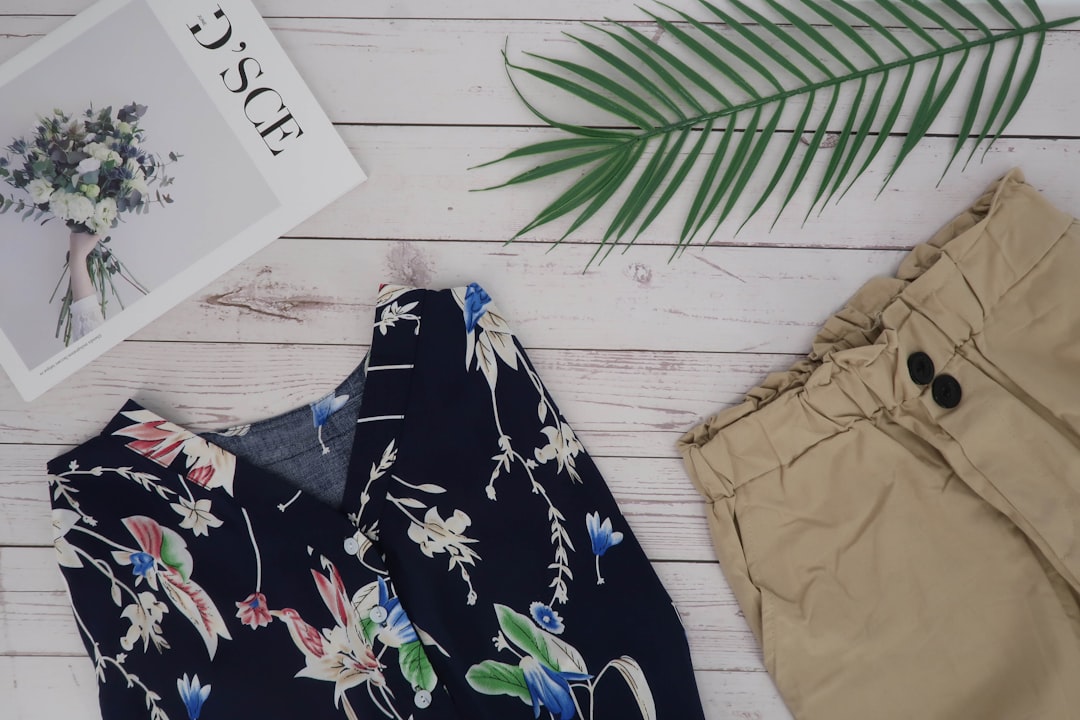
  • How to Use Outfit Videos on Product Pages to Lift CVR

    How to Use Outfit Videos on Product Pages to Lift CVR

    Key Takeaways

    • Product pages with video convert up to 80% better than those with static images alone — but only when the video is formatted and placed correctly.
    • Outfit videos specifically outperform generic product videos because they show context, movement, and styling — the three things shoppers actually need to commit to a purchase.
    • Autoplay, above-the-fold placement, and under-30-second run times are the three non-negotiables for fashion PDP video performance.
    • AI-generated outfit videos dramatically reduce production time and cost, making per-SKU video viable even for small catalogues.
    • Video reduces return rates by giving shoppers a more accurate size, fit, and drape expectation before they buy.

    Why Static Images Are Losing the Conversion Battle

    Here’s the thing: the average fashion e-commerce site is still built around a 2014 content strategy. Six static images, a size chart, and a bullet list of fabric specs. Meanwhile, the shopper arriving on that page in 2026 has spent the last four hours watching short-form video. The expectation gap is enormous — and your conversion rate is the one paying for it.

    Baymard Institute research consistently shows that product uncertainty is the single biggest driver of cart abandonment in fashion. Shoppers want to know how a garment moves, how it drapes across different body types, and how it can actually be styled — not just what it looks like hung flat against a white wall. Static images answer maybe one of those three questions. A well-placed outfit video on your product page answers all three in under 20 seconds.

    The brands already deploying fashion PDP video are seeing real numbers. ASOS reported a 3x lower return rate on products with video versus those without. Smaller boutiques using AI-generated outfit video have reported conversion rate lifts of 25–40% on their top SKUs within the first 90 days. These aren’t flukes — they’re the result of closing the information gap that static photography leaves wide open.

    This post breaks down exactly how to use outfit video on your product page to lift CVR: where to place it, how to format it, what to include, and how to produce it at scale without breaking your content budget.

    What Makes an Outfit Video Different From a Standard Product Video

    Not all video is equal on a product page. A talking-head brand video, a catwalk clip, or a slow-motion fabric texture shot all perform very differently from a true outfit video. Understanding the distinction matters before you invest in production.

    A standard product video typically shows the item in isolation — rotating on a mannequin, laid flat, or worn in a single neutral shot. It answers “what does this look like?” A true outfit video goes further: it shows the garment on a body in motion, styled within a complete look, across at least one real-world context. It answers “how will this look on me, and what do I do with it?”

    That second layer of information is what closes the sale. When a shopper can see how your midi skirt moves while walking, how it’s tucked with a ribbed tank, and how the hemline sits at the knee on a 5’4″ frame, they are making a significantly more informed purchase decision. Informed purchase decisions convert at higher rates and return at lower rates. That’s the entire business case.

    The styling context also does something subtle but powerful: it increases perceived value. A $68 blouse shown styled with wide-leg trousers and minimal jewellery feels like a $120 blouse. That perception directly impacts willingness to pay full price, reducing your reliance on discount-driven conversion.

    Placement, Format, and Technical Specs for Fashion PDP Video

    Getting the content right is only half the job. Where and how you deploy your video product page asset determines whether it actually influences purchase decisions or gets ignored entirely.

    Placement rules that actually move the needle:

    • Above the fold, within the image gallery: Treat your outfit video as the first or second asset in the product image carousel — not a tab buried below the fold. Eye-tracking studies show shoppers rarely scroll below the add-to-cart button on mobile, which is where most of your traffic is coming from.
    • Autoplay with sound off: Autoplay captures attention without requiring a click, but sound-on autoplay kills the experience. Use captions or on-screen text to carry any messaging. Most shoppers browse with sound off by default.
    • Loop-friendly: Your video should loop cleanly so it functions like an animated image for shoppers who are still browsing rather than actively watching.

    Technical specs that affect load speed and SEO:

    • Keep video files under 10MB for web delivery — use modern codecs (H.265/HEVC or AV1) where your platform supports them.
    • For mobile-first pages, use a 9:16 or 4:5 vertical ratio. Square (1:1) works as a fallback.
    • Run time should sit between 15 and 30 seconds for PDP placement. Under 15 seconds if the video is autoplaying in a gallery. Save longer styling breakdowns for your YouTube channel or email flows.
    • Add structured data markup (VideoObject schema) so Google can index your video and serve it in rich results — this has a measurable impact on organic CTR for fashion search terms.

    The Production Problem — and How AI Solves It

    Here’s the objection every fashion brand manager raises at this point: “We can’t afford to produce individual videos for every SKU.” In 2022, that was a reasonable concern. In 2026, it’s no longer true.

    Traditional outfit video production — booking a model, photographer, videographer, stylist, location, and post-production editor — costs anywhere from $300 to $1,500 per look depending on your market. For a boutique with 200 SKUs and a seasonal refresh, that math doesn’t work.

    AI-powered tools like Outfit Video change the equation entirely. You upload a static product image or existing lookbook photo, and the platform generates a short-form outfit video — complete with motion, styling context, and format-ready outputs — without a shoot day. The cost per SKU drops dramatically, and the turnaround goes from weeks to hours.

    If you’re building out a larger catalogue video strategy, the post on AI Lookbook Generator: How Brands Build Catalogues Faster covers the broader workflow in detail. And if you do want to capture some original footage to feed into your AI pipeline, How to Film Outfit Videos at Home Without a Studio is a practical starting point that doesn’t require a production budget.

    Comparing Video Formats for Product Page Performance

    Different video formats serve different purposes on a fashion PDP. Here’s a direct comparison of the most common options brands are deploying in 2026:

    Video Format Best Use Case Avg. CVR Lift Production Cost Time to Produce
    AI Outfit Video PDP gallery, email, social repurposing 25–40% Low (tool subscription) Minutes–hours
    Model Shoot Video Hero products, seasonal campaigns 30–50% High ($500–$1,500/look) 2–4 weeks
    UGC-Style Video Trust-building, social proof on PDP 15–30% Low–medium (creator fees) 1–2 weeks
    360° Spin Video Detail-heavy products (outerwear, bags) 10–20% Medium 1–3 days
    Flat Lay Animation Accessories, folded items 5–15% Low Hours

    The data supports a tiered approach: use AI outfit videos as your baseline across the full catalogue, invest in high-production model shoots for your top 10–20% revenue-driving SKUs, and layer in UGC-style content for social proof. The Fashion UGC vs Brand Video: What Converts Better post explores that split in depth if you want to go further on that specific decision.

    What to Include in Your Outfit Video to Maximise Conversion

    The content of the video matters as much as the format. Here’s what consistently drives higher conversion on fashion product pages — and what to leave out.

    Include:

    • Movement: Walking, turning, sitting. Any natural motion that shows how the garment behaves. This is the single highest-impact element — it answers the “will this look weird when I move?” anxiety that keeps shoppers from adding to cart.
    • Full-look styling: Show the item styled as part of a complete outfit. Include shoes. This drives average order value as well as conversion, because it gives shoppers a direct product discovery path to additional items.
    • Size/fit context: A brief on-screen text callout (“model is 5’6″, wearing size S”) addresses fit anxiety without requiring a shopper to dig into the size chart. This single addition has been shown to reduce returns by 15–20% across multiple fashion e-commerce studies.
    • At least one close-up detail moment: Fabric texture, seam quality, hardware detail. These high-information frames justify premium pricing and build trust in product quality.

    Leave out:

    • Long brand intro sequences. Nobody on a product page is watching your logo animation.
    • Complex colour grading that misrepresents the actual product colour — this drives returns.
    • Sound-dependent storytelling. The video must work completely on mute.

    Measuring the Impact of Outfit Video on Your PDP

    Deploying video without a measurement framework means you won’t know what’s working or be able to justify scaling the investment. Here are the specific metrics to track when you add outfit video to a product page.

    Primary conversion metrics:

    • PDP conversion rate (CVR): The percentage of sessions on the product page that result in an add-to-cart or purchase. This is your headline number. Run an A/B test — video vs. no video — for a minimum of two weeks before drawing conclusions.
    • Return rate by SKU: If your video is accurate and informative, this should drop within 60 days of deployment. A reduction here is often worth more to your bottom line than the CVR lift itself.
    • Time on product page: Video reliably increases dwell time. More time on page generally correlates with higher purchase intent, but watch whether that dwell time is converting or just watching.

    Video-specific engagement metrics:

    • Play rate: What percentage of PDP visitors actually engage with the video? A play rate below 40% usually indicates a placement or thumbnail problem, not a content problem.
    • Completion rate: If most viewers drop off before 10 seconds, your video has a hook problem. If they’re watching to the end, your content is working.
    • Video-influenced revenue: Track revenue attributed to sessions where the video was played versus sessions where it wasn’t. This is the number that matters in budget conversations with stakeholders.

    For a broader framework on what to track across your fashion video strategy, the post on Fashion Video Marketing KPIs You Should Actually Track covers the full measurement stack in detail.

    Scaling Outfit Video Across Your Catalogue Without a Production Team

    The brands winning with fashion PDP video in 2026 aren’t the ones with the biggest production budgets. They’re the ones with the most efficient content pipelines. Here’s how to think about scaling.

    Start with your highest-traffic, lowest-converting SKUs. Pull your PDP performance data and identify products with strong organic or paid traffic that aren’t converting at the rate they should. These are your highest-ROI candidates for video — you already have the traffic, you just need to close the sale.

    Build a repeatable template. Define your video format once: aspect ratio, run time, what styling context to show, what on-screen text callouts to include. Apply that template consistently across SKUs. Consistency also builds brand recognition — shoppers who see your video format across multiple products start to associate the visual language with your brand.

    Repurpose aggressively. Every outfit video you produce for a PDP can also become a social post, an email GIF, a paid ad creative, or a Pinterest Video Pin. The post on How to Repurpose One Outfit Into 10 Video Formats maps out the full repurposing workflow if you want to maximise the return on each video you create.

    Use AI generation as your production baseline. For most SKUs, an AI-generated outfit video that accurately represents the product and shows it in a styled context will outperform no video by a significant margin. Save your production budget for the hero pieces where a full shoot is genuinely justified.


    FAQ

    How long should an outfit video be on a product page?

    For PDP placement, 15–30 seconds is the optimal range. If the video is autoplaying within an image gallery, aim for 15–20 seconds with a clean loop point. Longer videos (60–90 seconds) work better in a dedicated “watch the look” section below the fold or in email and social contexts where the viewer has opted in to watching.

    Does adding video to a product page affect page load speed and SEO?

    It can, if implemented incorrectly. Use lazy-loading for video assets so they don’t block initial page render. Host video through a CDN-backed platform rather than embedding large files directly. Add VideoObject structured data markup to help Google index the content. Done correctly, video can improve your organic performance by qualifying for video-rich results in fashion search queries.

    What’s the best way to test whether outfit video is lifting conversion?

    Run a standard A/B test: serve video to 50% of PDP visitors and static images only to the other 50%. Run the test for at least two full weeks to control for day-of-week and traffic source variation. Track CVR, add-to-cart rate, and revenue per session as your primary metrics. If your platform doesn’t support A/B testing natively, a before/after comparison over equivalent time periods (controlling for traffic volume and source mix) will give you a directional read.

    Can AI-generated outfit videos really replace traditional model shoots?

    For the majority of your catalogue, yes — AI-generated outfit videos can replace traditional shoots for PDP use. The quality threshold has improved significantly through 2025–2026, and for most fashion categories, an AI-generated video that shows movement, styling context, and fit detail will outperform a static image regardless of production method. For hero campaigns, brand editorial, or premium positioning where production quality is part of the brand story, traditional shoots still have a role. The smart approach is to use both strategically rather than treating them as mutually exclusive.

    Should outfit videos on product pages have sound or music?

    Design your PDP outfit videos to work entirely without sound. The majority of mobile shoppers browse with sound off, and autoplay audio is a widely disliked experience. Use on-screen text overlays for any key messaging (fit notes, material callouts, styling suggestions). If you add a music track, keep it subtle and ensure the video communicates everything it needs to on mute. Reserve sound-on storytelling for formats where the viewer has actively opted in — YouTube, TikTok, or email video where they’ve pressed play.


    The gap between fashion brands using outfit video on their product pages and those still relying entirely on static photography is widening fast. The CVR data is clear, the production barriers are lower than they’ve ever been, and the shopper expectation for video is only going in one direction.

    If you’re ready to add outfit video to your product pages without a shoot day or a production team, Outfit Video turns your existing product photos into short-form, conversion-ready video assets in minutes. Start with your five lowest-converting high-traffic SKUs and measure the difference in 30 days.

  • Fashion Video Marketing KPIs You Should Actually Track

    Fashion Video Marketing KPIs You Should Actually Track

    Fashion Video Marketing KPIs You Should Actually Track

    Key Takeaways

    • Most fashion brands track vanity metrics like views and likes — but the KPIs that drive revenue are watch time, click-through rate, and attributed conversions.
    • Different video formats (Reels, TikToks, shoppable videos, Pinterest pins) require different benchmark expectations — comparing them on the same scale leads to bad decisions.
    • A 3-second view rate above 60% is a strong signal of scroll-stopping creative; a drop below 40% means your opening frame needs work.
    • Shoppable video adds a direct revenue layer to your analytics — tracking cost-per-acquisition through video is now table stakes for fashion e-commerce teams in 2026.
    • Outfit video analytics should be reviewed weekly at a minimum, not just after campaigns — patterns in drop-off points and replays often contain your next best creative brief.

    Here’s the truth most marketing dashboards won’t tell you: a million video views and a flat revenue line can coexist very comfortably. Fashion brands pour budget into video content every season, watch the numbers tick up on Instagram, and still wonder why the sales page isn’t converting. The problem isn’t the content — it’s that they’re measuring the wrong things.

    Fashion video marketing KPIs are not one-size-fits-all. A boutique tracking the same metrics as a D2C brand running shoppable video campaigns is essentially flying blind. This guide cuts through the noise and tells you exactly which video marketing metrics in fashion actually correlate with growth — and which ones are costing you time to report on without giving you anything useful back.

    Why Most Fashion Brands Track the Wrong Metrics

    The obsession with views, followers, and likes isn’t accidental — these are the numbers platforms put front and center because high engagement on their end keeps you posting. But platform-favorable metrics and business-favorable metrics are not the same thing.

    Consider this: a fashion Reel with 200,000 views and a 0.3% click-through rate generated 600 link clicks. A second Reel from the same brand got 18,000 views but a 4.1% CTR — that’s 738 clicks from a fraction of the audience. Which video performed better for the business? The second one, by a meaningful margin. But most brands would call the first one the “winner” based on views alone.

    The shift happening across fashion marketing teams in 2026 is a move from reach-based measurement to action-based measurement. That means tracking what people did after watching, not just whether they watched. It also means understanding that different video formats — organic short-form, paid social, shoppable video, lookbook content — each need their own performance benchmarks and KPI sets.

    The Core Fashion Video Marketing KPIs, Explained

    Let’s get specific. These are the metrics that matter, what they tell you, and what benchmarks to aim for in fashion specifically.

    3-Second View Rate
    This is the percentage of people who watched at least three seconds of your video after it appeared in their feed. It’s a direct measure of whether your opening frame stopped the scroll. For fashion content on Instagram and TikTok, aim for above 55-60%. Below 40% is a creative problem — your hook, your thumbnail, or your first visual isn’t earning attention.

    Average Watch Time / Watch Percentage
    How long did people actually watch? More importantly, what percentage of your total video did they consume? A 15-second Reel with a 75% watch rate (11.25 seconds average) is performing exceptionally. For TikTok, the algorithm specifically rewards videos where average watch percentage exceeds 100% — meaning people are rewatching. That’s your signal to create more of that content.

    Click-Through Rate (CTR)
    The percentage of viewers who clicked your link, product tag, or CTA. Industry average for fashion video on paid social sits around 1.5–2.5%. Organic video with strong product tagging should aim for 2–4%. If you’re running shoppable video and CTR drops below 1%, the disconnect is usually between what the video shows and what the landing page delivers.

    Video Completion Rate
    For longer content (60 seconds+), what percentage of viewers watched to the end? This is particularly relevant for lookbook-style videos, styling tutorials, and brand films. A completion rate above 30% on a 60-second fashion video is strong. Below 15% means you’ve lost people before your product moment or CTA.

    Shares and Saves
    Saves, especially on Instagram, are one of the most undervalued signals in fashion video analytics. When someone saves your outfit video, they’re signaling purchase intent or inspiration intent — they want to come back. A high save rate relative to views often predicts future conversion better than likes. Track saves-per-1000-views as a ratio, not just a raw number.

    Attributed Revenue and ROAS
    If you’re running paid video or shoppable video content, you need to be tracking return on ad spend at the video level. Which specific video creative is driving purchases? What’s the cost-per-acquisition for each format? These numbers are what justify your content budget to anyone holding a spreadsheet.

    KPI Benchmarks by Video Format and Platform

    Not all video formats are equal, and neither are their benchmarks. Here’s how the key metrics stack up across platforms and content types in 2026.

    Platform / Format Strong 3-Sec View Rate Target Watch % Good CTR Completion Rate (60s)
    Instagram Reels (Organic) 55%+ 65–80% 2–4% 25–35%
    TikTok (Organic) 60%+ 70–90%+ 1.5–3% 20–30%
    Pinterest Video Pins 50%+ 50–65% 3–6% 30–40%
    Paid Meta Video Ads 45%+ 50–70% 1.5–2.5% 15–25%
    Shoppable Video (On-site) N/A 60–80% 8–15% 40–55%
    YouTube Shorts 50%+ 60–75% 2–5% 25–35%

    Notice that Pinterest and shoppable video consistently show higher CTR — because the intent of the viewer is already higher. Someone browsing Pinterest fashion boards or watching a video embedded on a product page is closer to purchase than someone passively scrolling a social feed. If you want to understand how Pinterest video in particular is performing for fashion brands right now, this breakdown of Pinterest Video Pins for Fashion in 2026 is worth reading alongside your analytics setup.

    Outfit Video Analytics: What to Look For Beyond the Dashboard

    Here’s the thing: the most valuable signals in outfit video analytics aren’t always the headline numbers — they’re the patterns beneath them.

    Drop-off points are one of the most actionable data signals available to fashion video creators. If 70% of your viewers are dropping off at the 8-second mark on a 30-second video, you have a structural problem — probably a slow transition, a text overlay that’s too long, or a product reveal that comes too late. Find the drop, fix the structure, retest.

    Replay rates are gold, especially for styling content. If viewers are rewatching a specific section — say, a close-up of a layering technique or a price reveal — that’s a signal to build an entire video around that moment. TikTok’s algorithm rewards replays heavily, so a video with a 120% average watch rate (meaning people are watching it more than once on average) is being actively pushed by the platform.

    Heatmaps on shoppable video show you exactly which product tags people are clicking — and which ones they’re ignoring. If your earrings are getting tapped 4x more than the dress, that’s a merchandising insight, not just a video insight. Your next campaign should lead with accessories.

    Tools like Outfit Video provide built-in analytics that connect your video performance to product-level data — so you’re not manually cross-referencing your content dashboard with Shopify reports. For teams producing high volumes of outfit content, that integration layer is where hours of reporting time get recovered. Shoppable video for fashion is increasingly where this kind of analytics depth becomes non-negotiable.

    How to Set KPI Targets That Actually Make Sense for Your Brand

    Generic benchmarks are a starting point, not a finish line. The right KPI targets for your brand depend on three things: your current baseline, your content volume, and your revenue goals.

    Start with a 30-day baseline audit. Pull your last 30 days of video content across all platforms. Calculate your average 3-second view rate, average watch percentage, CTR, and if you have the data, attributed revenue per video. These numbers are your actual baseline — not industry averages from a blog post.

    Set improvement targets, not arbitrary absolutes. If your current average CTR is 1.2%, a realistic 90-day target might be 1.8% — achievable through better CTA placement and stronger product reveal moments. Chasing 4% from a 1.2% baseline in 30 days is how brands make short-term creative decisions that hurt long-term brand consistency.

    Segment your KPIs by content type. Your organic styling content, your paid product ads, and your shoppable video embeds should each have their own targets and be reviewed separately. Mixing them into a single “video performance” report obscures what’s actually working.

    If your team is producing content at scale — say, turning a single outfit into multiple video formats for different platforms — the KPI structure needs to match. That workflow is explored in detail in this guide on how to repurpose one outfit into 10 video formats, which pairs well with building format-specific measurement frameworks.

    The KPIs You Can Safely Deprioritize

    Not every metric deserves a line in your weekly report. Here’s what you can stop obsessing over — and why.

    • Raw view count: Algorithmically inflated, context-free, and not correlated with revenue unless paired with engagement and CTR data.
    • Follower growth from individual videos: Useful as a brand health signal over time, but not a useful per-video KPI. One viral video that attracts 5,000 followers with zero purchase intent is worth less than a steady 50 followers per week who came from a shoppable styling video.
    • Likes: The least predictive metric for revenue in fashion video. Likable content and purchasable content are not the same thing — and often diverge sharply.
    • Impressions without context: Impressions only matter relative to reach, frequency, and CTR. A standalone impressions number tells you almost nothing about whether your video is working.

    The brands winning with fashion video in 2026 are the ones who’ve shrunk their KPI dashboards, not grown them. Fewer metrics, reviewed more frequently, with clear ownership over what changes when a number moves in the wrong direction.

    Building a Weekly Video Analytics Review Process

    Data that isn’t reviewed on a schedule doesn’t drive decisions — it just accumulates. Here’s a lightweight weekly review structure that works for fashion marketing teams of any size.

    Monday: Pull the numbers. Capture last week’s video performance across all active platforms. Focus on: 3-second view rate, average watch percentage, CTR, saves, and attributed revenue where available. Log them in a simple running spreadsheet — one row per video, one column per metric.

    Tuesday: Identify the outliers. What performed significantly above or below your baseline? Don’t look for causes yet — just flag the outliers. One video that doubled your average CTR and one that halved it. That’s your analysis set for the week.

    Wednesday: Diagnose the patterns. Watch both outlier videos with fresh eyes. What’s different about the hook? The pacing? The product reveal timing? The caption? If you have a team member who didn’t create the content, have them watch without context and describe what they notice. External perspective on video structure is underused in fashion marketing.

    Friday: Apply one change. Take one specific insight from the week and apply it to next week’s content. Not five changes — one. This is how you build a feedback loop that actually compounds over time rather than creating noise in your creative process.

    Pair this review process with strong creative inputs — if you’re still figuring out what makes fashion video content stop the scroll, the guide on writing fashion video scripts that stop the scroll covers the structural elements that drive those early-second retention numbers.


    FAQ: Fashion Video Marketing KPIs

    What is a good watch percentage for fashion videos on Instagram?

    For Instagram Reels in fashion, a watch percentage of 65–80% is strong for videos under 30 seconds. For videos between 30–60 seconds, 50–65% is a solid benchmark. Below 40% on any format suggests the content is losing viewers early — usually in the first 5–8 seconds.

    How do I track revenue attributed to a specific outfit video?

    The most reliable method depends on your platform. For shoppable video on your website, use UTM parameters linked to your specific video embed or use a platform like Outfit Video that natively connects video views to product click and purchase data. For social video, use platform-native conversion tracking (Meta Pixel, TikTok Pixel) and segment by creative to see which specific video drove conversions.

    Should I use the same KPIs for organic and paid fashion video content?

    No — and conflating them is a common mistake. Paid video should be measured primarily on CTR, cost-per-click, cost-per-acquisition, and ROAS. Organic video should be measured on watch time, saves, shares, and follower-conversion quality. Both should track engagement rate, but the absolute benchmarks will differ significantly. Keep them in separate reporting columns.

    How often should fashion brands review their video analytics?

    Weekly at minimum for active content programs. Monthly reviews alone are too slow — you miss the ability to course-correct creative mid-campaign. If you’re posting 5+ videos per week, a daily 10-minute check on 3-second view rate and CTR for recent posts will surface problems before they compound. Reserve deeper analysis (watch percentage, drop-off, attributed revenue) for weekly reviews.

    What’s the most important fashion video marketing KPI for a small boutique?

    For a small boutique with limited content budget, saves-per-1000-views and link clicks are the two most actionable metrics to focus on. Saves indicate purchase intent from people who don’t buy immediately but plan to return. Link clicks tell you whether your video is actually moving people toward your products. Both are achievable to improve through better CTA placement and stronger product visibility without requiring a significant budget increase.


    The brands that will outperform in fashion video marketing over the next 12 months won’t necessarily be the ones with the biggest production budgets or the most posts. They’ll be the ones who’ve built a clear line between their video content and their revenue data — and who know exactly which metric to pull on when performance dips.

    If you’re ready to build a video content program where the analytics actually feed back into better creative — and where turning a static outfit photo into a performance-tracked short-form video takes minutes, not days — explore what Outfit Video can do for your brand.

  • AI Lookbook Generator: How Brands Build Catalogues Faster

    AI Lookbook Generator: How Brands Build Catalogues Faster

    Key Takeaways

    • AI lookbook generators can reduce catalogue production time by up to 70% compared to traditional photo shoot workflows.
    • Fashion brands using digital lookbook creators report faster time-to-market, lower production costs, and higher engagement rates on social channels.
    • The best AI lookbook tools combine static image enhancement with video output — turning single outfit photos into multi-format content assets.
    • Small boutiques and solo creators can now produce seasonal catalogues that rival the production quality of larger retail brands.
    • Choosing the right tool depends on your output format needs: PDF lookbooks, social video clips, shoppable links, or all three.

    Fashion brands used to budget anywhere from $5,000 to $50,000 for a single seasonal lookbook shoot — photographer, model, location, retoucher, layout designer, and weeks of back-and-forth before a single page went live. In 2026, that model is cracking. AI lookbook generators are cutting that timeline from weeks to hours, and the brands catching on early are building catalogues faster, cheaper, and — critically — with more format flexibility than traditional production ever allowed.

    This isn’t about replacing creativity. It’s about eliminating the bottleneck between having a great collection and actually showing it to the world. Here’s what you need to know about how fashion lookbook AI works, which tools are worth your time, and how to build a smarter catalogue workflow right now.

    What Is an AI Lookbook Generator?

    An AI lookbook generator is software that uses artificial intelligence — typically a combination of computer vision, generative image models, and automated layout systems — to transform raw product images or outfit photos into polished, publish-ready catalogue content. Depending on the tool, outputs can include styled static pages, animated slides, short-form video clips, or interactive digital lookbooks with embedded shopping links.

    The core value proposition is straightforward: you upload product photos, and the AI handles styling, sequencing, background generation, copy suggestions, and formatting. What used to require a full creative team can now be handled by a single brand manager with a decent product photo library.

    Here’s the thing: the most powerful tools in 2026 aren’t just building static PDFs. They’re generating video-format lookbooks — short clips that can go directly to Instagram Reels, TikTok, Pinterest Video Pins, and email campaigns. That shift from static to motion is where the real commercial opportunity lives.

    Why Traditional Lookbook Production Is Broken

    The problems with traditional catalogue production aren’t just about cost — they’re structural. Consider the typical workflow:

    1. Product arrives at warehouse or studio
    2. Shoot is scheduled (often weeks out)
    3. Images go to retouching (another 5-10 business days)
    4. Layout designer builds pages in InDesign or Canva
    5. Copy team writes descriptions
    6. Stakeholders review, revise, approve
    7. Final PDF or microsite goes live

    By the time that lookbook publishes, the trend window may have shifted. In fast fashion and boutique retail, a six-week production cycle is commercially dangerous. Micro-trends on TikTok peak and fade in 10-14 days. If your catalogue isn’t live when interest is highest, you’re leaving revenue on the table.

    Add to this the reality that most brands now need content across 5+ channels — each with different aspect ratios, video vs. static requirements, and audience expectations — and the traditional one-shoot-one-lookbook model simply doesn’t scale. A digital lookbook creator powered by AI solves this by compressing the production phase dramatically and generating multiple format outputs from a single asset upload.

    How Fashion Lookbook AI Actually Works

    Understanding the technology helps you use it better. Most fashion lookbook AI tools operate across three core layers:

    1. Image Processing and Enhancement
    Computer vision models analyze your uploaded product photos — detecting garment edges, removing or replacing backgrounds, adjusting lighting and color consistency across images. This replaces manual retouching and ensures visual cohesion across your catalogue without requiring every photo to be shot in the same location or lighting setup.

    2. Intelligent Layout and Sequencing
    AI layout engines arrange products into visually balanced pages or video sequences, applying design rules (color contrast, visual hierarchy, white space) without manual intervention. Some tools also analyze engagement data from previous lookbooks to recommend sequencing — putting your highest-converting products in lead positions.

    3. Multi-Format Export and Video Generation
    This is where 2026-era tools diverge from earlier iterations. The best platforms don’t just export a PDF — they generate video versions of your lookbook, complete with transitions, motion effects, and optional audio. Tools like Outfit Video specialize specifically in this layer, transforming still outfit photos into short-form video content ready for social distribution.

    If you want to understand how to get the most from existing outfit photography before feeding it into an AI tool, this guide on filming outfit videos at home without a studio covers how to optimize your raw inputs — which directly improves AI output quality.

    Top AI Lookbook Generator Tools Compared

    The market for digital lookbook creators has matured significantly. Here’s an honest comparison of the leading options available in 2026:

    Tool Best For Output Formats Video Generation Starting Price (Monthly) Ease of Use
    Outfit Video Social video lookbooks, boutiques, e-commerce brands Video (Reels, TikTok, Pinterest), MP4 Yes — core feature From $39 Very High
    Publitas Interactive digital catalogues, retail chains HTML5 flipbook, PDF, embedded web No From $29 High
    Flipsnack PDF-to-digital conversion, SMBs PDF, HTML5 flipbook, embed Limited (GIF only) From $32 High
    Canva AI (Magic Design) General design, social posts, small brands PDF, PNG, MP4 (basic) Basic (slideshow style) From $15 (Pro) Very High
    Modyfi AI image editing, creative teams PNG, PSD, JPG No From $25 Medium
    Runway ML Advanced video generation, creative studios MP4, GIF Yes — generative From $15 Medium-Low

    Here’s the thing: the right tool depends on your primary distribution channel. If your catalogue lives on a website as a PDF flipbook, Publitas or Flipsnack covers the need. If your lookbook content needs to perform on Instagram, TikTok, or Pinterest — where video consistently outperforms static by 2-3x in reach and engagement — you need a tool built specifically for video output. That’s a different product category entirely, and it’s where fashion-specific platforms like Outfit Video have a genuine edge over general design tools.

    For a deeper breakdown of how Outfit Video compares to other AI video tools specifically, see this honest 2026 comparison of Outfit Video vs Runway AI vs Pika.

    Building Your AI Lookbook Workflow: Step by Step

    Knowing the tools is one thing. Building a repeatable production system is another. Here’s a practical workflow that fashion brands and boutiques can implement immediately:

    Step 1: Audit and organize your product imagery
    AI tools perform best with clean, consistent input. Before uploading, sort images by collection, colorway, and product type. Remove anything with poor lighting, cluttered backgrounds, or motion blur. If you’re shooting new product yourself, consistent neutral backgrounds (white, cream, or light gray) give AI models the cleanest base to work from.

    Step 2: Define your lookbook’s purpose and distribution channels
    Are you building a seasonal catalogue for wholesale buyers? A social-first video lookbook for Instagram? A shoppable landing page for email campaigns? Define this before you open any tool — it determines your output format, aspect ratio, and content sequencing logic.

    Step 3: Upload and process through your AI tool
    Use your chosen platform to process images — background removal, color correction, and layout generation happen automatically. Review AI-generated sequences and adjust ordering to ensure your strongest hero looks lead.

    Step 4: Add copy, pricing, and product links
    Most digital lookbook creators allow you to overlay product names, prices, and CTA buttons. For social video output, keep text minimal — a product name and one clear CTA is usually enough. If you’re building a shoppable video experience, check out this guide on shoppable video for fashion to understand how to connect content directly to checkout.

    Step 5: Export in multiple formats simultaneously
    This is the multiplier step. A good AI lookbook workflow doesn’t produce one output — it produces five or six simultaneously. Export your video lookbook as a 9:16 vertical for Reels and TikTok, a 1:1 square for feed posts, a 16:9 horizontal for YouTube or email headers, and a PDF version for wholesale or press use. One shoot, one upload, multiple assets.

    Step 6: Schedule and distribute
    Queue your lookbook content across channels using a scheduler like Later or Planoly. Stagger releases across the week rather than publishing everything at once — this extends the shelf life of a single collection and keeps your brand appearing consistently in feeds.

    How Small Brands Are Using AI Lookbooks to Compete

    The playing field between small boutiques and major fashion retailers has never been more level. A single founder with a smartphone, a good product line, and the right AI tools can now produce lookbook content that rivals brands with dedicated creative departments.

    Consider a real-world scenario: a boutique carrying 40-60 SKUs per season used to face a hard choice — invest in a professional shoot ($3,000-8,000 minimum) or post product-on-hanger images that convert poorly. With an AI lookbook generator workflow, that same boutique can upload flat-lay or mannequin photos, generate styled video lookbooks with motion, captions, and branded color schemes, and distribute across social channels — all within a single business day.

    The competitive implication is significant. When your lookbook content moves at the speed of trend cycles rather than the speed of traditional production, you capture demand at peak interest. You also build a larger content library faster, which feeds algorithmic distribution on every major platform.

    For a broader look at how AI video tools are changing the competitive landscape for independent brands, this piece on how small fashion brands are using AI video to compete is worth reading alongside this guide.

    Common Mistakes to Avoid with AI Lookbook Tools

    Adopting these tools quickly doesn’t mean using them well. Here are the errors that consistently undermine results:

    • Uploading low-quality source images and expecting AI to rescue them. Generative enhancement has real limits. Blurry, poorly lit, or heavily compressed images produce mediocre outputs regardless of how sophisticated the AI layer is. The quality of your output ceiling is set by your input floor.
    • Ignoring format specifications for each platform. A 9:16 vertical video that plays well on TikTok will be cropped and awkward on Pinterest in landscape orientation. Export to spec for each channel, every time.
    • Over-automating the sequencing without editorial review. AI layout engines are good, but they don’t understand your brand hierarchy, your hero products, or your current campaign narrative. Always review and adjust the AI’s suggested sequence before publishing.
    • Using every feature in a tool just because it’s available. Animated transitions, overlaid text, music, product tags, and stickers all compete for attention. Restraint produces more professional-looking lookbooks than feature maximalism.
    • Treating the lookbook as a one-time campaign asset. Your lookbook content should be broken into individual posts, Stories, video clips, and email assets. A 12-look seasonal lookbook should generate at least 30-40 individual pieces of social content if you’re repurposing it properly. See how to repurpose one outfit into 10 video formats for a practical framework on this.

    What to Look for When Choosing a Digital Lookbook Creator

    Not all AI lookbook tools are built for fashion. Generic design platforms can produce competent results, but fashion-specific workflows have distinct requirements. When evaluating tools, prioritize these criteria:

    • Garment-aware image processing: Does the tool understand fabric texture, drape, and color accuracy? Fashion images require more nuanced enhancement than product photography for electronics or furniture.
    • Video output as a native feature, not an afterthought: If video is buried behind a paywall or limited to basic slideshow transitions, the tool wasn’t built with social-first fashion distribution in mind.
    • Brand customization: Can you lock in your brand fonts, color palette, and logo placement across all outputs? Consistency across a lookbook is as important as any individual image.
    • Batch processing: For seasonal catalogues with 40+ SKUs, processing images one at a time is a dealbreaker. Look for bulk upload and batch processing capabilities.
    • Integration with your e-commerce platform: If the tool connects directly to Shopify, WooCommerce, or your product catalog API, you eliminate the manual step of adding product links and pricing data to each lookbook page.
    • Output resolution and compression settings: Lookbooks distributed to wholesale buyers or press need print-quality resolution. Social video needs optimized file sizes for fast loading. The best tools let you control both.

    Frequently Asked Questions

    What is an AI lookbook generator and how does it differ from a regular design tool?

    An AI lookbook generator uses machine learning to automate the visual design process — including background removal, image enhancement, layout composition, and in some cases video generation — from your product photos. A regular design tool like Canva or InDesign requires you to make every design decision manually. The AI layer dramatically reduces the time and skill required to produce a polished, publish-ready catalogue.

    How long does it take to create a lookbook with AI tools?

    For a 10-15 look seasonal lookbook with video output, most AI tools can produce a draft in 30-90 minutes from upload to export, assuming your source images are prepared and organized. Compare this to 2-4 weeks for traditional shoot-based production. Final review and adjustments typically add another 1-2 hours, but the total time investment is dramatically lower than conventional methods.

    Can AI lookbook tools produce content good enough for wholesale buyers and press?

    Yes, with caveats. For digital distribution — email to buyers, hosted microsite, downloadable PDF — AI-generated lookbooks in 2026 are absolutely press-quality. For print-based materials (physical catalogues sent to trade shows or major retail buyers), you’ll want to review output resolution carefully and ensure your source images are at least 300 DPI. Most professional AI tools accommodate this, but it’s a setting to verify before exporting.

    Do I need professional product photography to use an AI lookbook generator?

    Professional photography helps, but it isn’t strictly required. Many boutiques and small brands are generating strong lookbook content from smartphone photos taken in good natural light, with clean backgrounds. AI background removal and image enhancement tools have become sophisticated enough to work with decent amateur photography. That said, the quality ceiling of your output is always set by the quality of your inputs — better source images consistently produce better AI outputs.

    How do AI-generated lookbooks perform compared to traditionally produced ones?

    Engagement data from 2025-2026 suggests that video-format lookbooks generated by AI tools outperform static PDF lookbooks on social channels by significant margins — with video content typically generating 2-3x more reach on Instagram and Pinterest. The performance gap between AI-generated and traditionally shot content, when both are properly executed, is increasingly negligible for digital distribution. The real advantage of AI isn’t quality parity — it’s speed and volume. Brands that can produce and test more content iterations consistently outperform those locked into slow production cycles.


    The window for competitive advantage with AI lookbook tools is still open — but it’s narrowing as adoption accelerates across the fashion industry. The brands building fast, flexible catalogue workflows right now are setting distribution habits and audience relationships that will be difficult for slower-moving competitors to close later.

    Whether you’re a boutique owner who needs a seasonal lookbook by the end of the week, or a growing e-commerce brand looking to scale content production without scaling your team, the technology to do it exists today — and the investment required is a fraction of what traditional production costs.

    Ready to turn your outfit photos into a video lookbook in hours, not weeks? Try Outfit Video free and build your first AI-powered lookbook today.